A WALKTHROUGH FOR PEOPLE WHO ALREADY LIVE IN CLAUDE CODE
Team-based Loop Engineering
A Simple Example
From zero to a working plan → generate → evaluate loop that builds a text-adventure game from Linear issues, on your own Mac, following along as you read.
FRAMING
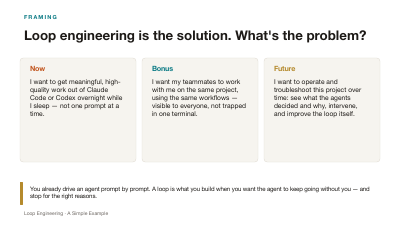
Loop engineering is the solution. What's the problem?
Now
I want to get meaningful, high-quality work out of Claude Code or Codex overnight while I sleep — not one prompt at a time.
Bonus
I want my teammates to work with me on the same project, using the same workflows — visible to everyone, not trapped in one terminal.
Future
I want to operate and troubleshoot this project over time: see what the agents decided and why, intervene, and improve the loop itself.
FRAMING
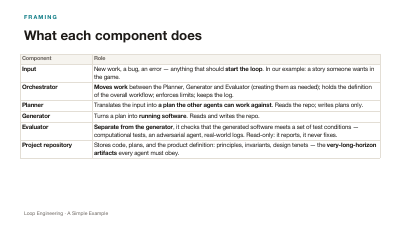
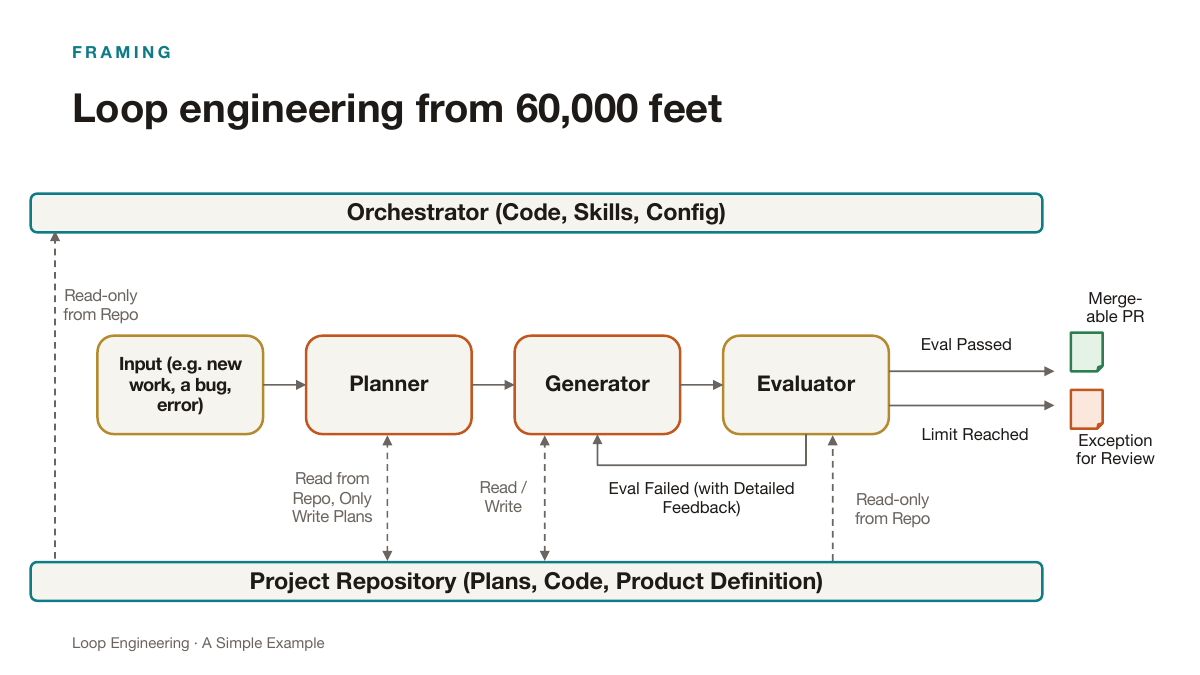
What each component does
| Component | Role |
|---|---|
| Input | New work, a bug, an error — anything that should start the loop. In our example: a story someone wants in the game. |
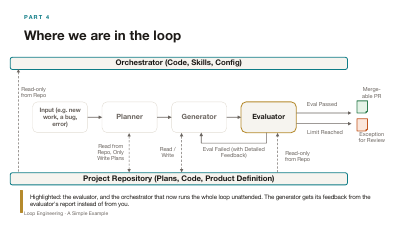
| Orchestrator | Moves work between the Planner, Generator and Evaluator (creating them as needed); holds the definition of the overall workflow; enforces limits; keeps the log. |
| Planner | Translates the input into a plan the other agents can work against. Reads the repo; writes plans only. |
| Generator | Turns a plan into running software. Reads and writes the repo. |
| Evaluator | Separate from the generator, it checks that the generated software meets a set of test conditions — computational tests, an adversarial agent, real-world logs. Read-only: it reports, it never fixes. |
| Project repository | Stores code, plans, and the product definition: principles, invariants, design tenets — the very-long-horizon artifacts every agent must obey. |
FRAMING
Each component has depth
- Good evaluators take many shapes; some benefit from a pruner that pushes back on false negatives.
- An orchestrator can use timer-based triggers or event-based triggers; it often makes sense to have both, to mitigate stuck or missed events.
- Generators can work in sequence or fan out. Sometimes we fan out for speed, sometimes for creative variety.
- The software itself, in the project repo, needs affordances so each agent can work with it effectively — scripts, conventions, a place to write plans.
FRAMING
Bringing the loop into existence
There are many places where this loop could live:
- In a long-running interactive Claude Code session on a laptop, using /loop and /workflow.
- In a multi-agent platform like CrewAI.
- On top of a coding-agent canvas like OpenHands.
- Alongside a work-management tool like Linear, Jira, or GitHub Issues.
FRAMING
Why Linear?
- Everyone on the team can see the work.
- Extensive APIs for programmatic access to issues, and a well-built MCP server for agentic access.
- An Agent SDK that lets custom agents show up seamlessly in the UI: agents can be delegated issues; sessions persist on the issue in a thread with real-time updates.
- A single agent session can be driven both interactively from the UI and from the API — the same session, the same thread.
- A mature mobile app that includes agent threads.
- A powerful open-source agent orchestration tool for Linear: Cyrus.
THE EXAMPLE
Our example application: a text-adventure game
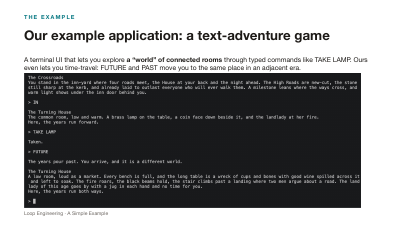
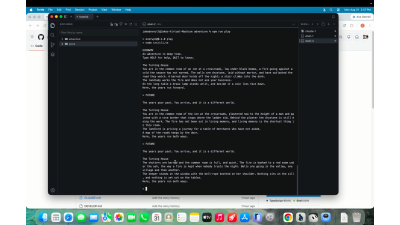
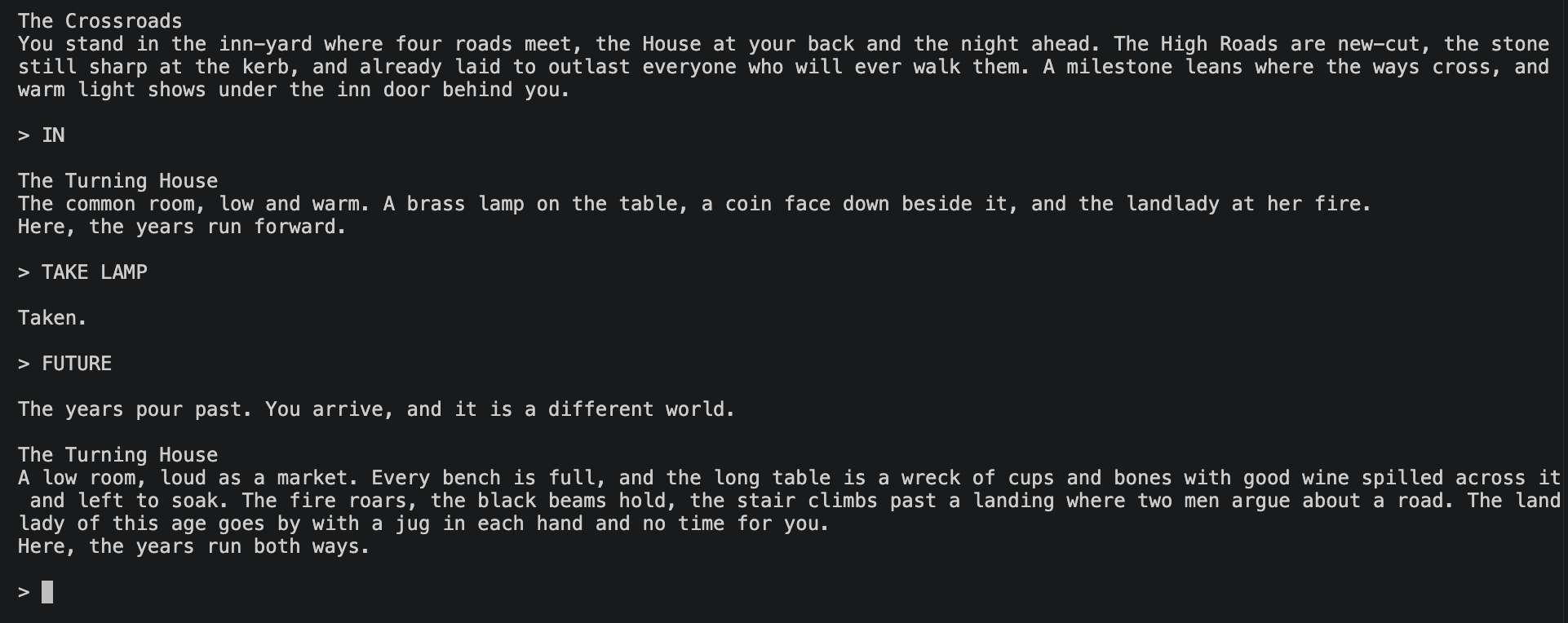
A terminal UI that lets you explore a “world” of connected rooms through typed commands like TAKE LAMP. Ours even lets you time-travel: FUTURE and PAST move you to the same place in an adjacent era.
THE EXAMPLE
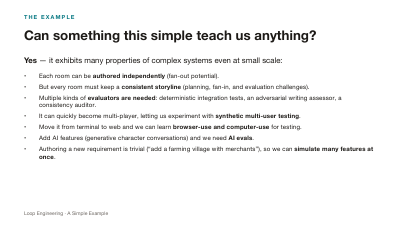
Can something this simple teach us anything?
Yes — it exhibits many properties of complex systems even at small scale:
- Each room can be authored independently (fan-out potential).
- But every room must keep a consistent storyline (planning, fan-in, and evaluation challenges).
- Multiple kinds of evaluators are needed: deterministic integration tests, an adversarial writing assessor, a consistency auditor.
- It can quickly become multi-player, letting us experiment with synthetic multi-user testing.
- Move it from terminal to web and we can learn browser-use and computer-use for testing.
- Add AI features (generative character conversations) and we need AI evals.
- Authoring a new requirement is trivial (“add a farming village with merchants”), so we can simulate many features at once.
THE EXAMPLE
What we won't learn (yet)
- How to manage agents across a large codebase.
- Desktop or mobile application testing — at least not at first.
- Real-world operational agent loops: unless the game takes off, we're stuck with simulated users and loads.
PART 1
Getting started: some primitives
Before any loop: a Linear project, a GitHub repo with a product definition and a minimal game, and a coding agent in Linear you can delegate an issue to.
PRIMITIVES
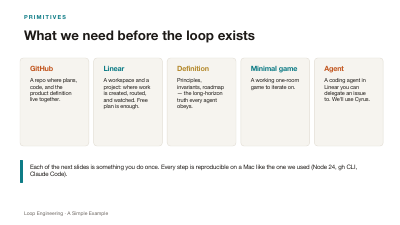
What we need before the loop exists
Linear
A workspace and a project: where work is created, routed, and watched. Free plan is enough.
GitHub
A repo where plans, code, and the product definition live together.
Definition
Principles, invariants, roadmap — the long-horizon truth every agent obeys.
Minimal game
A working one-room game to iterate on.
Agent
A coding agent in Linear you can delegate an issue to. We'll use Cyrus.
PRIMITIVES · START
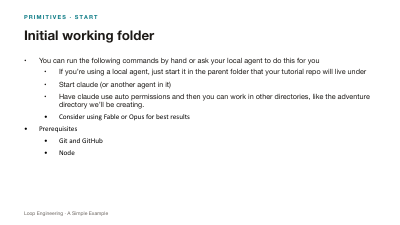
Initial working folder
- You can run the following commands by hand or ask your local agent to do this for you
- If you’re using a local agent, just start it in the parent folder that your tutorial repo will live under
- Start claude (or another agent in it)
- Have claude use auto permissions and then you can work in other directories, like the adventure directory we’ll be creating.
- Consider using Fable or Opus for best results
- Prerequisites
- Git and GitHub
- Node
PRIMITIVES · GITHUB
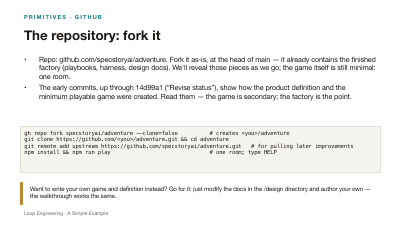
The repository: fork it
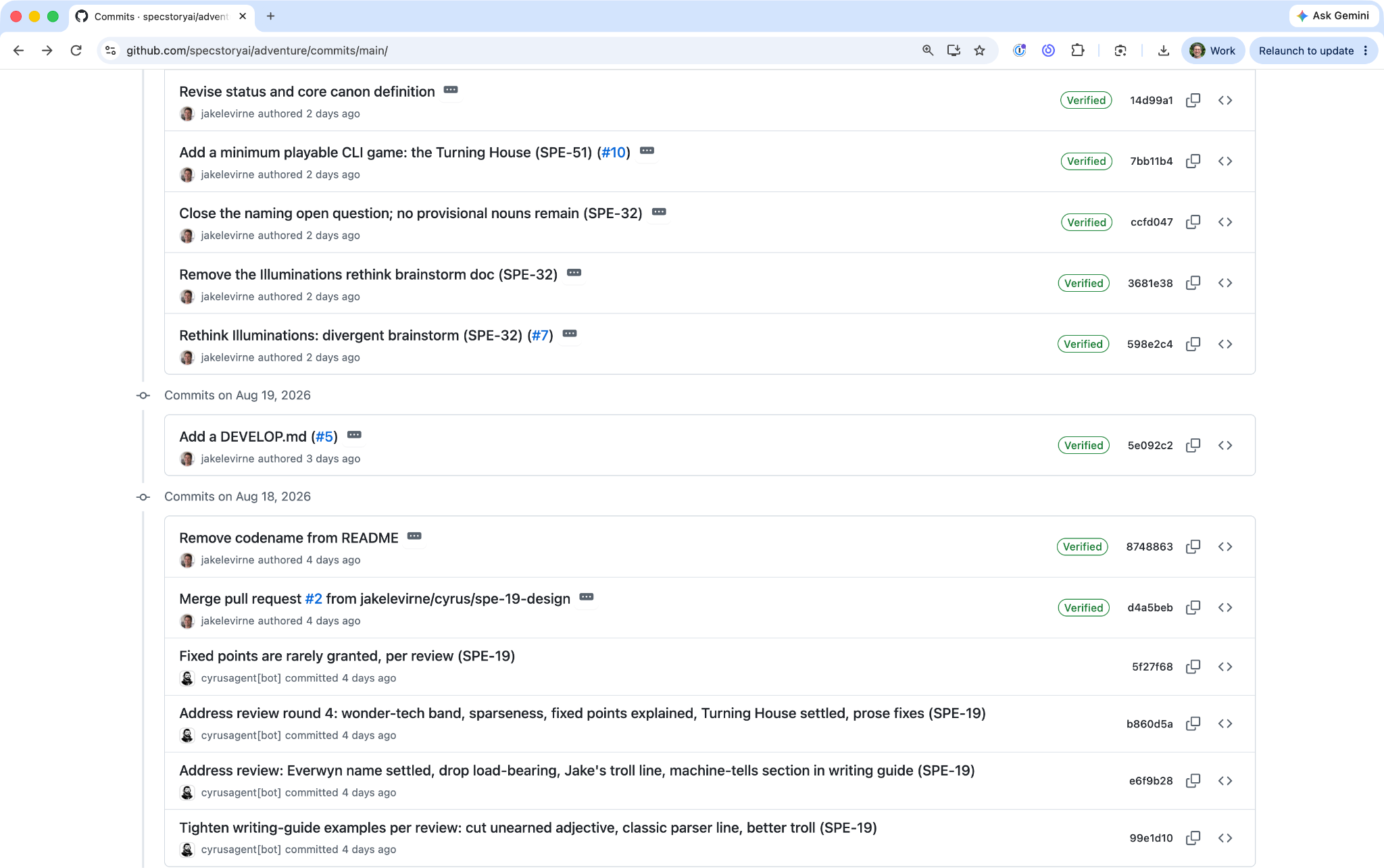
- Repo: github.com/specstoryai/adventure. Fork it as-is, at the head of main — it already contains the finished factory (playbooks, harness, design docs). We'll reveal those pieces as we go; the game itself is still minimal: one room.
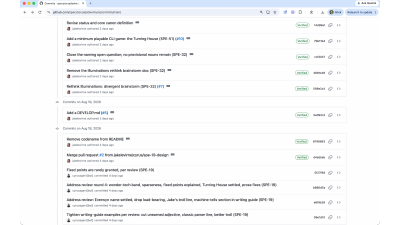
- The early commits, up through 14d99a1 (“Revise status”), show how the product definition and the minimum playable game were created. Read them — the game is secondary; the factory is the point.
gh repo fork specstoryai/adventure --clone=false          # creates <you>/adventure
git clone https://github.com/<you>/adventure.git && cd adventure
git remote add upstream https://github.com/specstoryai/adventure.git   # for pulling later improvements
npm install && npm run play                               # one room; type HELP
PRIMITIVES · LINEAR
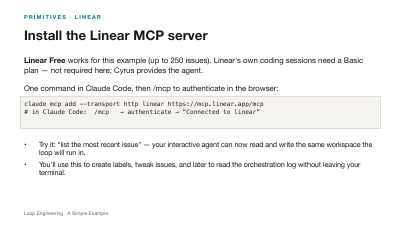
Install the Linear MCP server
Linear Free works for this example (up to 250 issues). Linear's own coding sessions need a Basic plan — not required here; Cyrus provides the agent.One command in Claude Code, then /mcp to authenticate in the browser:
claude mcp add --transport http linear https://mcp.linear.app/mcp
# in Claude Code:  /mcp   → authenticate → “Connected to linear”
- Try it: “list the most recent issue” — your interactive agent can now read and write the same workspace the loop will run in.
- You'll use this to create labels, tweak issues, and later to read the orchestration log without leaving your terminal.
PRIMITIVES · LINEAR
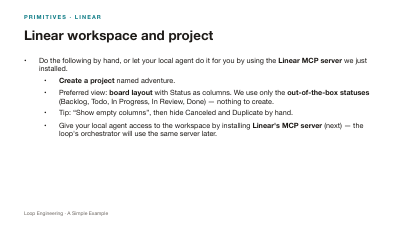
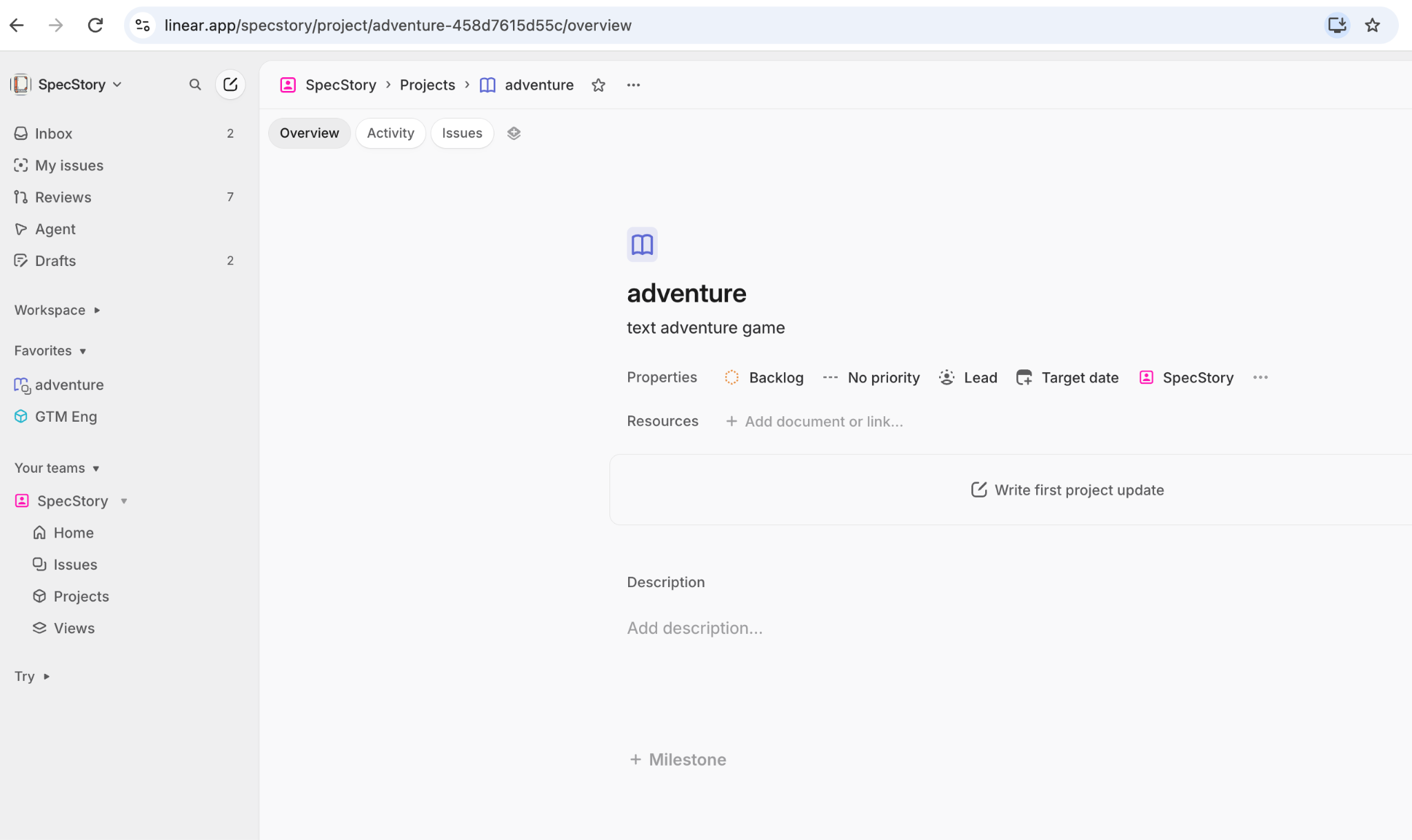
Linear workspace and project
- Do the following by hand, or let your local agent do it for you by using the Linear MCP server we just installed.
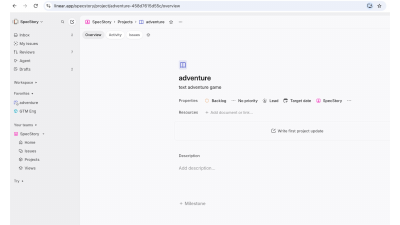
- Create a project named adventure.
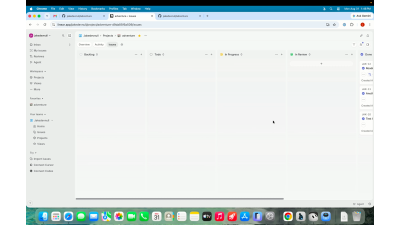
- Preferred view: board layout with Status as columns. We use only the out-of-the-box statuses (Backlog, Todo, In Progress, In Review, Done) — nothing to create.
- Tip: “Show empty columns”, then hide Canceled and Duplicate by hand.
- Give your local agent access to the workspace by installing Linear's MCP server (next) — the loop's orchestrator will use the same server later.
PRIMITIVES · PRODUCT DEFINITION
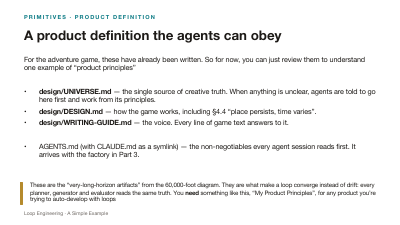
A product definition the agents can obey
For the adventure game, these have already been written. So for now, you can just review them to understand one example of “product principles”
- design/UNIVERSE.md — the single source of creative truth. When anything is unclear, agents are told to go here first and work from its principles.
- design/DESIGN.md — how the game works, including §4.4 “place persists, time varies”.
- design/WRITING-GUIDE.md — the voice. Every line of game text answers to it.
- AGENTS.md (with CLAUDE.md as a symlink) — the non-negotiables every agent session reads first. It arrives with the factory in Part 3.
PRIMITIVES · AGENT
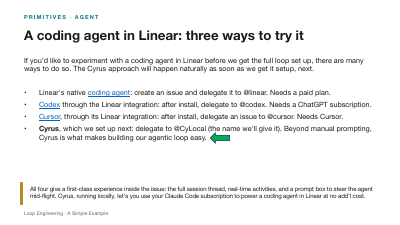
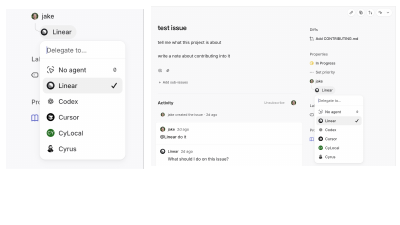
A coding agent in Linear: three ways to try it
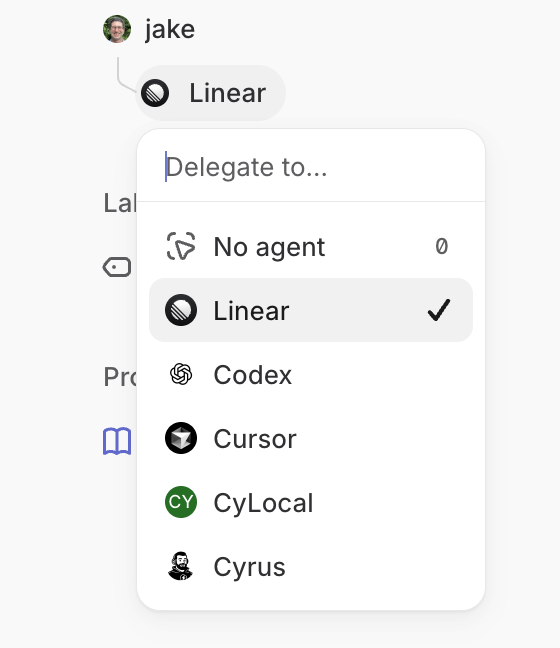
If you’d like to experiment with a coding agent in Linear before we get the full loop set up, there are many ways to do so. The Cyrus approach will happen naturally as soon as we get it setup, next.
- Linear's native coding agent: create an issue and delegate it to @linear. Needs a paid plan.
- Codex through the Linear integration: after install, delegate to @codex. Needs a ChatGPT subscription.
- Cursor, through its Linear integration: after install, delegate an issue to @cursor. Needs Cursor.
- Cyrus, which we set up next: delegate to @CyLocal (the name we'll give it). Beyond manual prompting, Cyrus is what makes building our agentic loop easy.
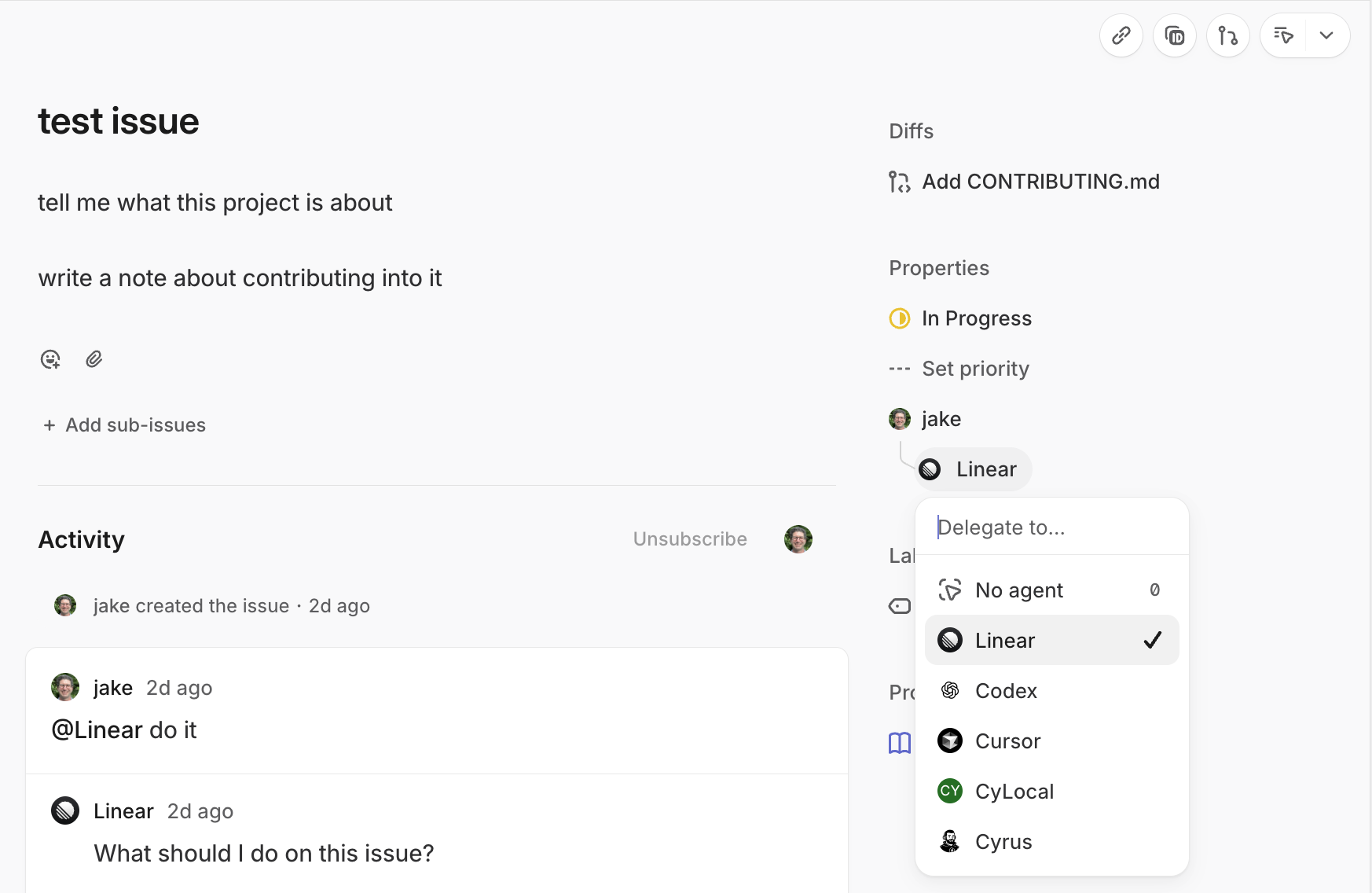
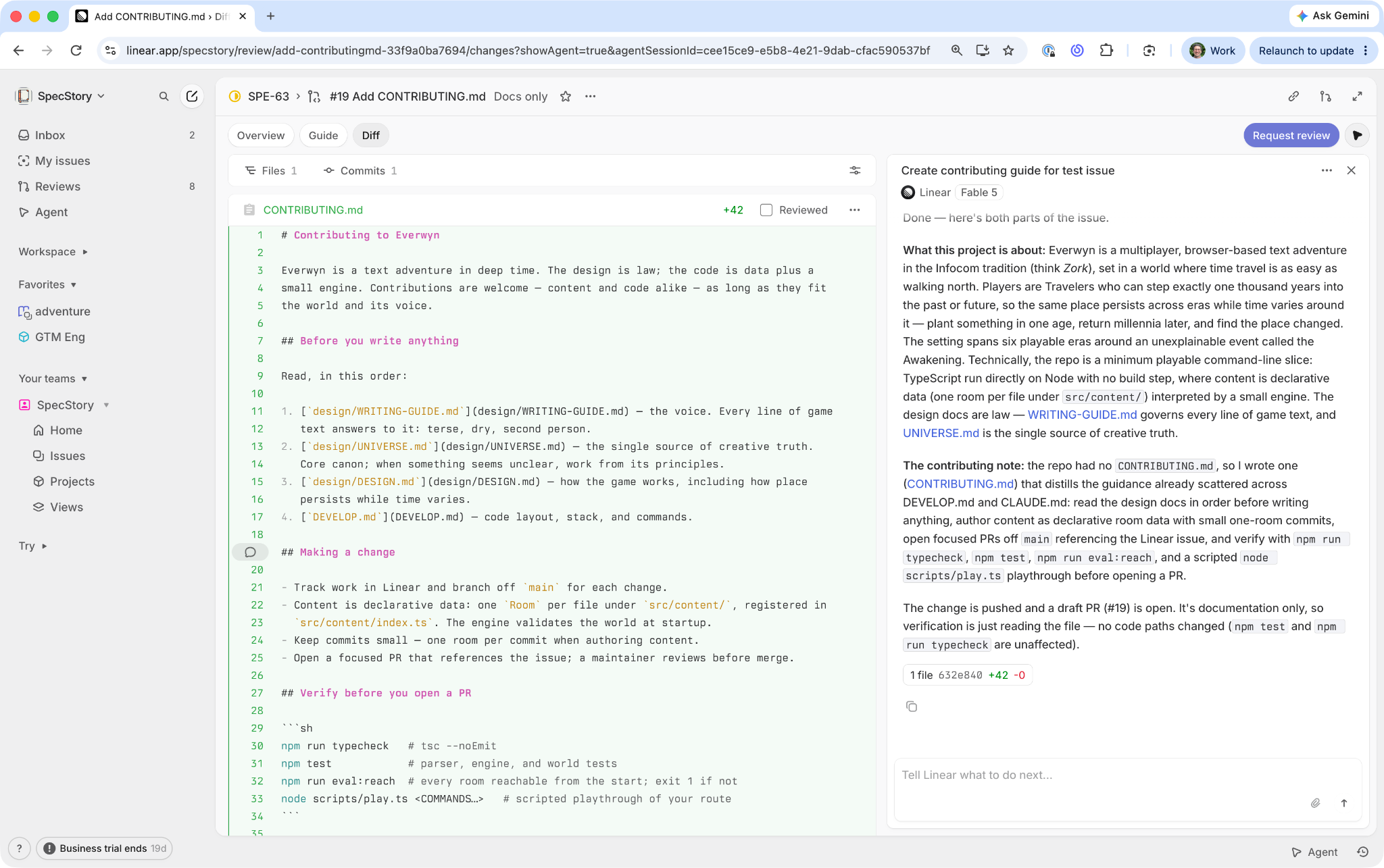
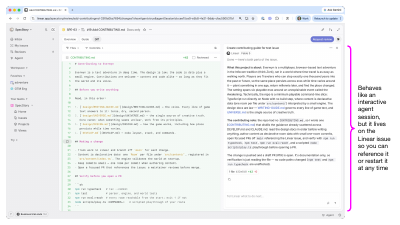
Behaves like an interactive agent session, but it lives on the Linear issue so you can reference it or restart it at any time
PRIMITIVES · AGENT
An interactive session that lives on the issue
- You type in the session thread exactly the way you type in Claude Code; the agent resumes with your comment as its next prompt.
- The thread persists on the issue, so you can reference it, hand it to a teammate, or restart it at any time — from the web or the mobile app.
- The same session can also be driven from the API. That is the hinge the whole loop turns on: an orchestrator can spawn, wake, and re-prompt sessions programmatically, and humans can still step in anywhere.
PART 2
Setting up Cyrus
Goal: a basic interactive coding agent in Linear — delegate an issue, get a PR — running from your own Mac. One skill walks you through it.
CYRUS
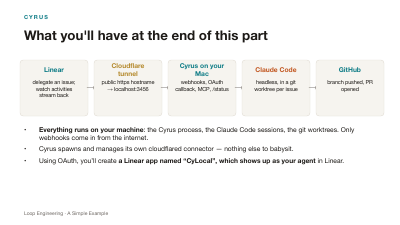
What you'll have at the end of this part
Linear
delegate an issue; watch activities stream back
Cloudflare tunnel
public https hostname → localhost:3456
Cyrus on your Mac
webhooks, OAuth callback, MCP, /status
Claude Code
headless, in a git worktree per issue
GitHub
branch pushed, PR opened
- Everything runs on your machine: the Cyrus process, the Claude Code sessions, the git worktrees. Only webhooks come in from the internet.
- Cyrus spawns and manages its own cloudflared connector — nothing else to babysit.
- Using OAuth, you’ll create a Linear app named “CyLocal”, which shows up as your agent in Linear.
CYRUS
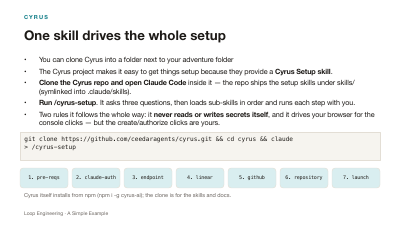
One skill drives the whole setup
- You can clone Cyrus into a folder next to your adventure folder
- The Cyrus project makes it easy to get things setup because they provide a Cyrus Setup skill.
- Clone the Cyrus repo and open Claude Code inside it — the repo ships the setup skills under skills/ (symlinked into .claude/skills).
- Run /cyrus-setup. It asks three questions, then loads sub-skills in order and runs each step with you.
- Two rules it follows the whole way: it never reads or writes secrets itself, and it drives your browser for the console clicks — but the create/authorize clicks are yours.
git clone https://github.com/ceedaragents/cyrus.git && cd cyrus && claude
> /cyrus-setup
Cyrus itself installs from npm (npm i -g cyrus-ai); the clone is for the skills and docs.
CYRUS · STEP 0
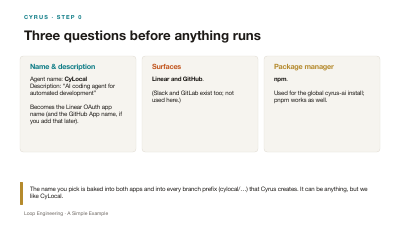
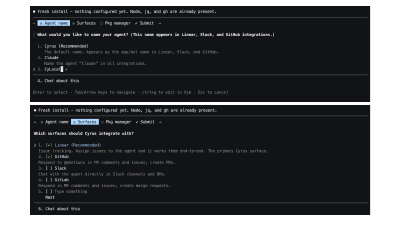
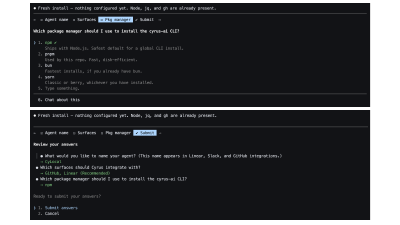
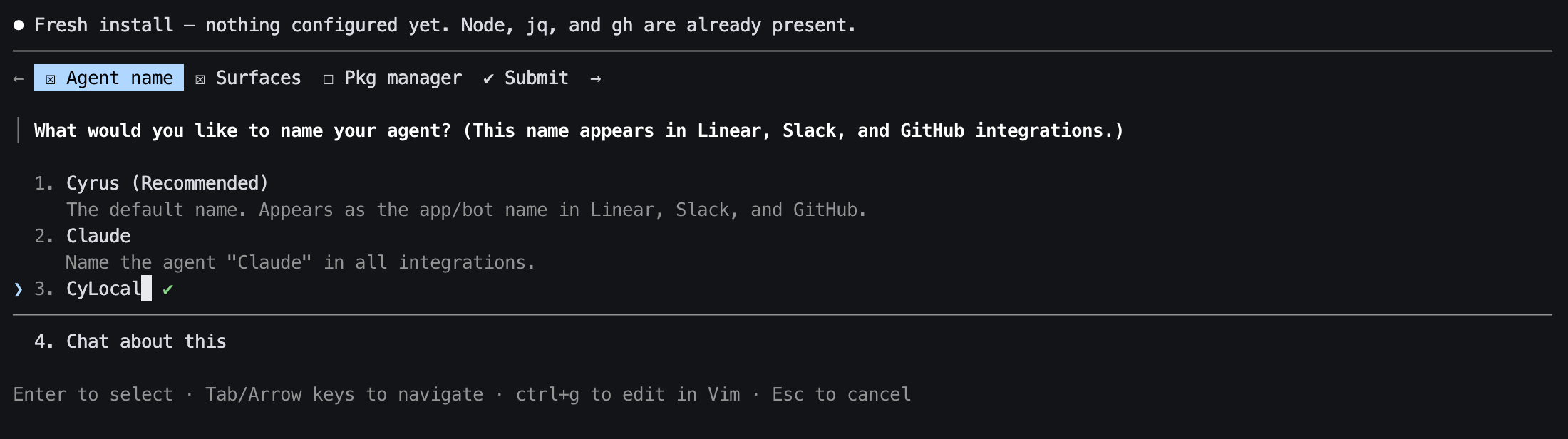
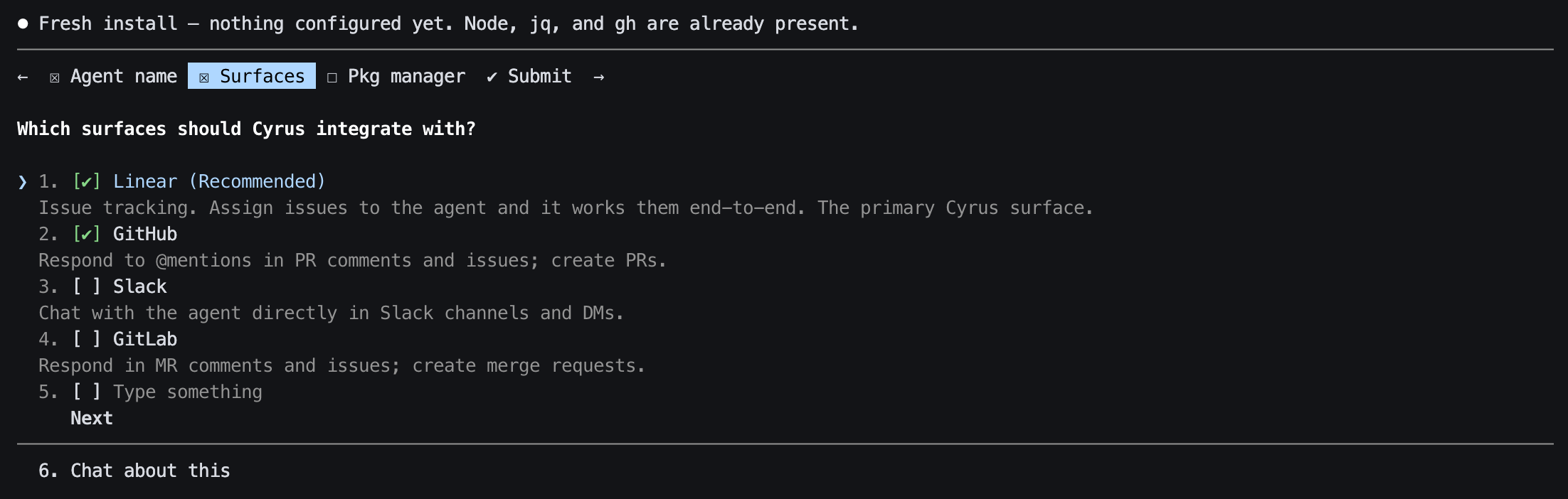
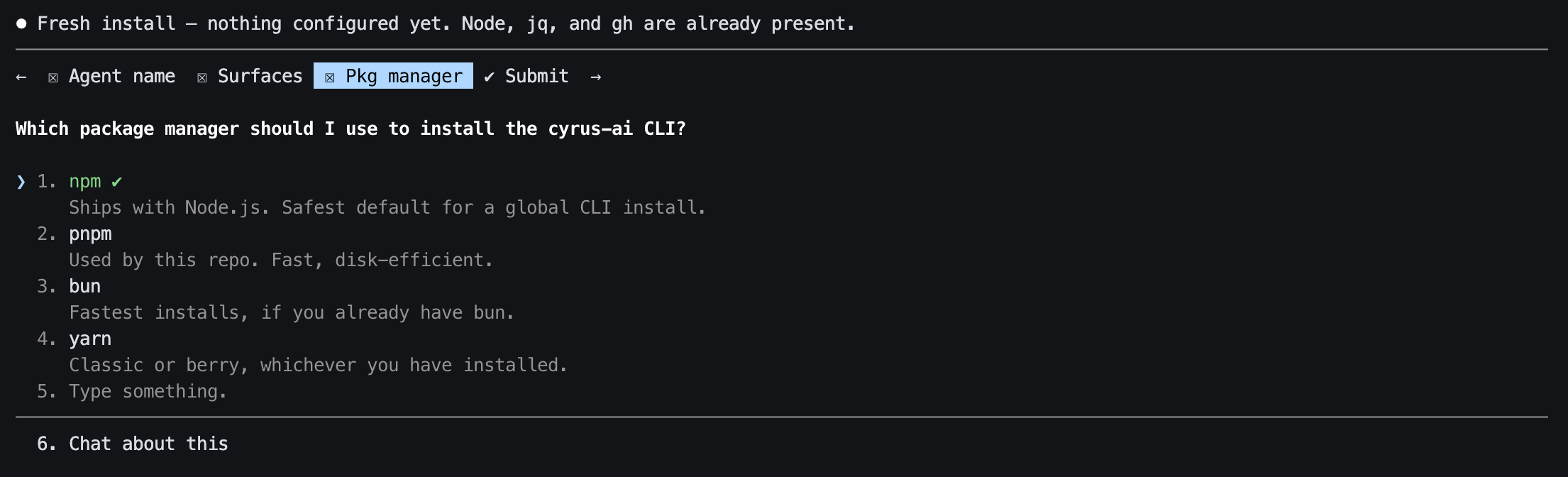
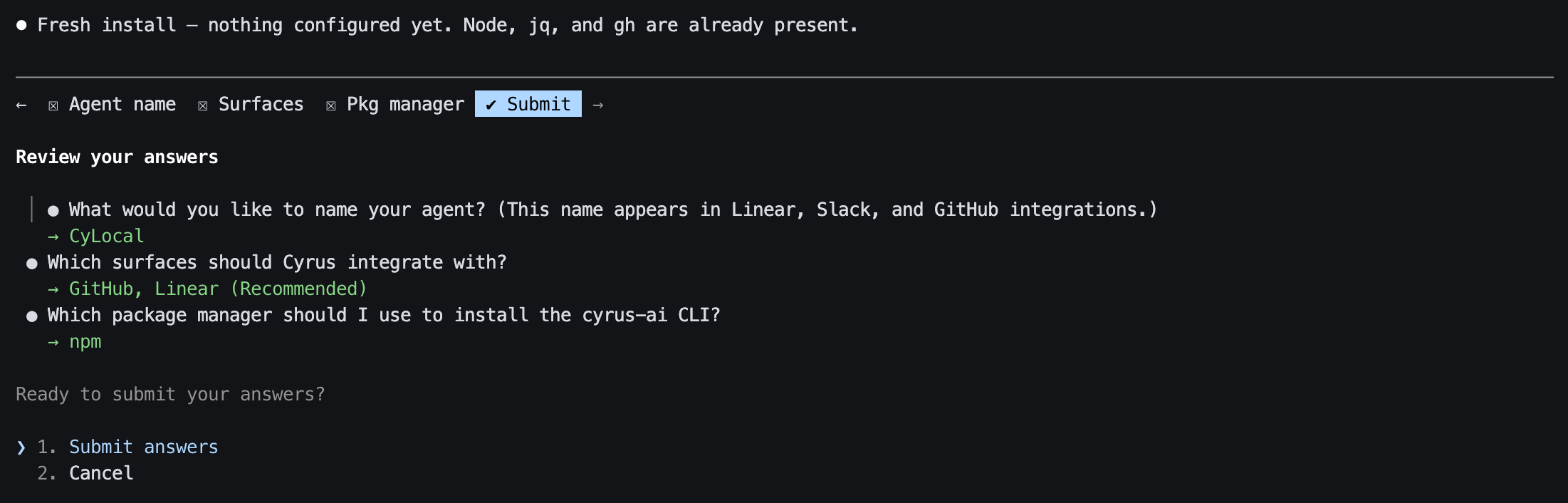
Three questions before anything runs
Name & description
Agent name: CyLocal
Description: “AI coding agent for automated development”
Becomes the Linear OAuth app name (and the GitHub App name, if you add that later).
Surfaces
Linear and GitHub.
(Slack and GitLab exist too; not used here.)
Package manager
npm.
Used for the global cyrus-ai install; pnpm works as well.
CYRUS · STEP 1
Prerequisites
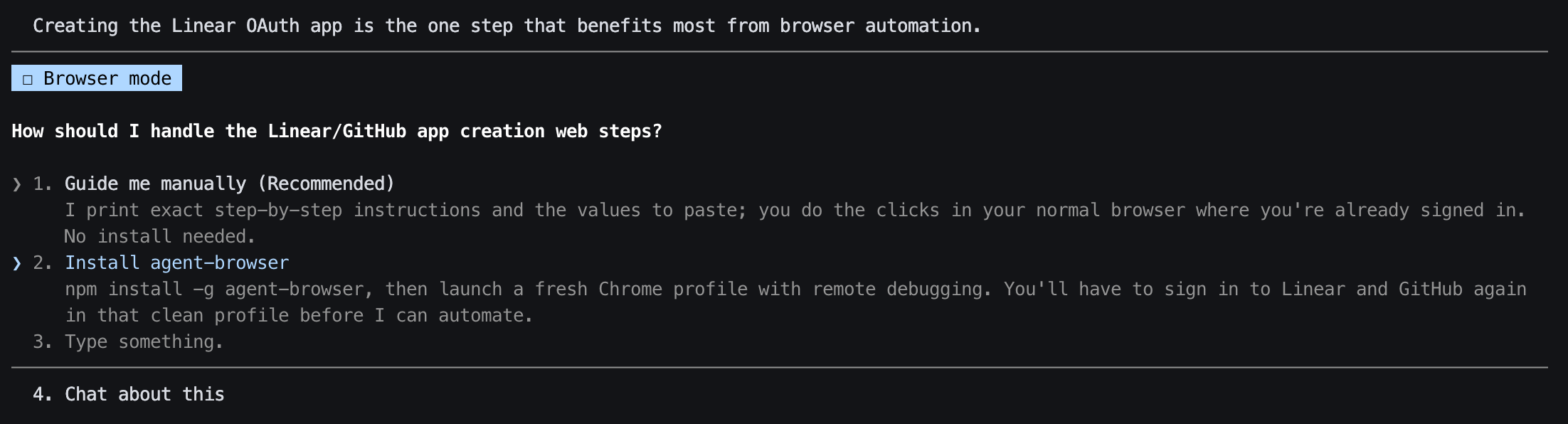
- Checks Node (v24 here), jq, gh CLI, and optionally agent-browser for console automation.
- Installs the CLI globally and creates ~/.cyrus/, where everything from here on lives.
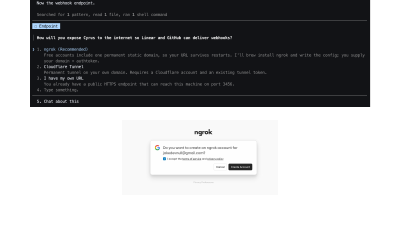
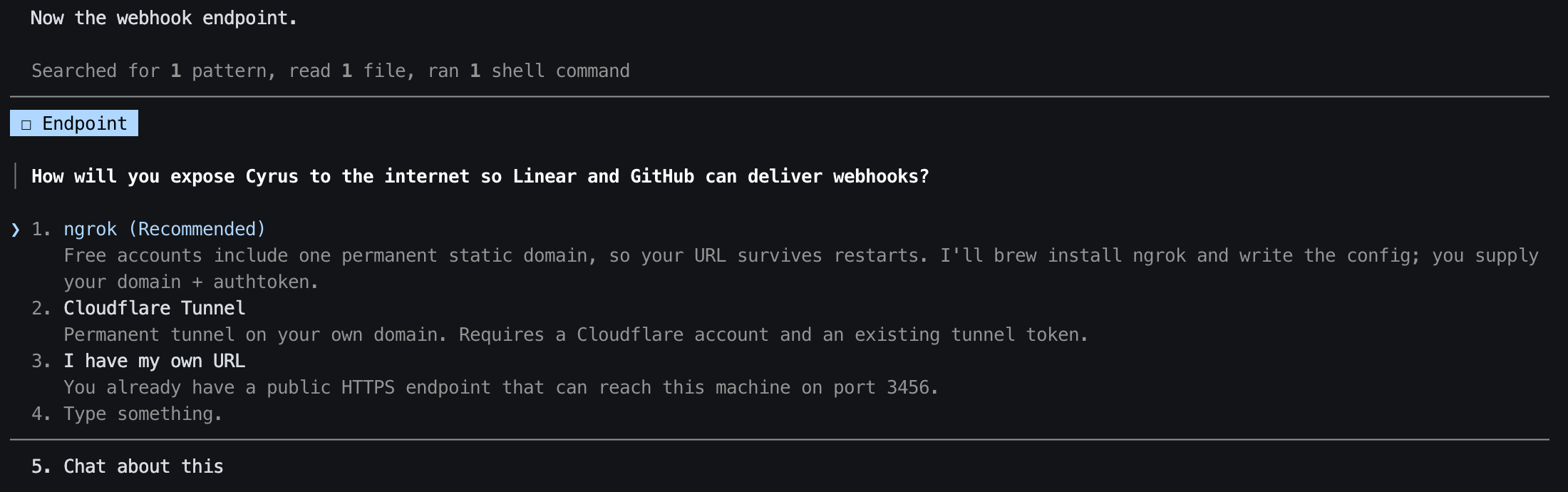
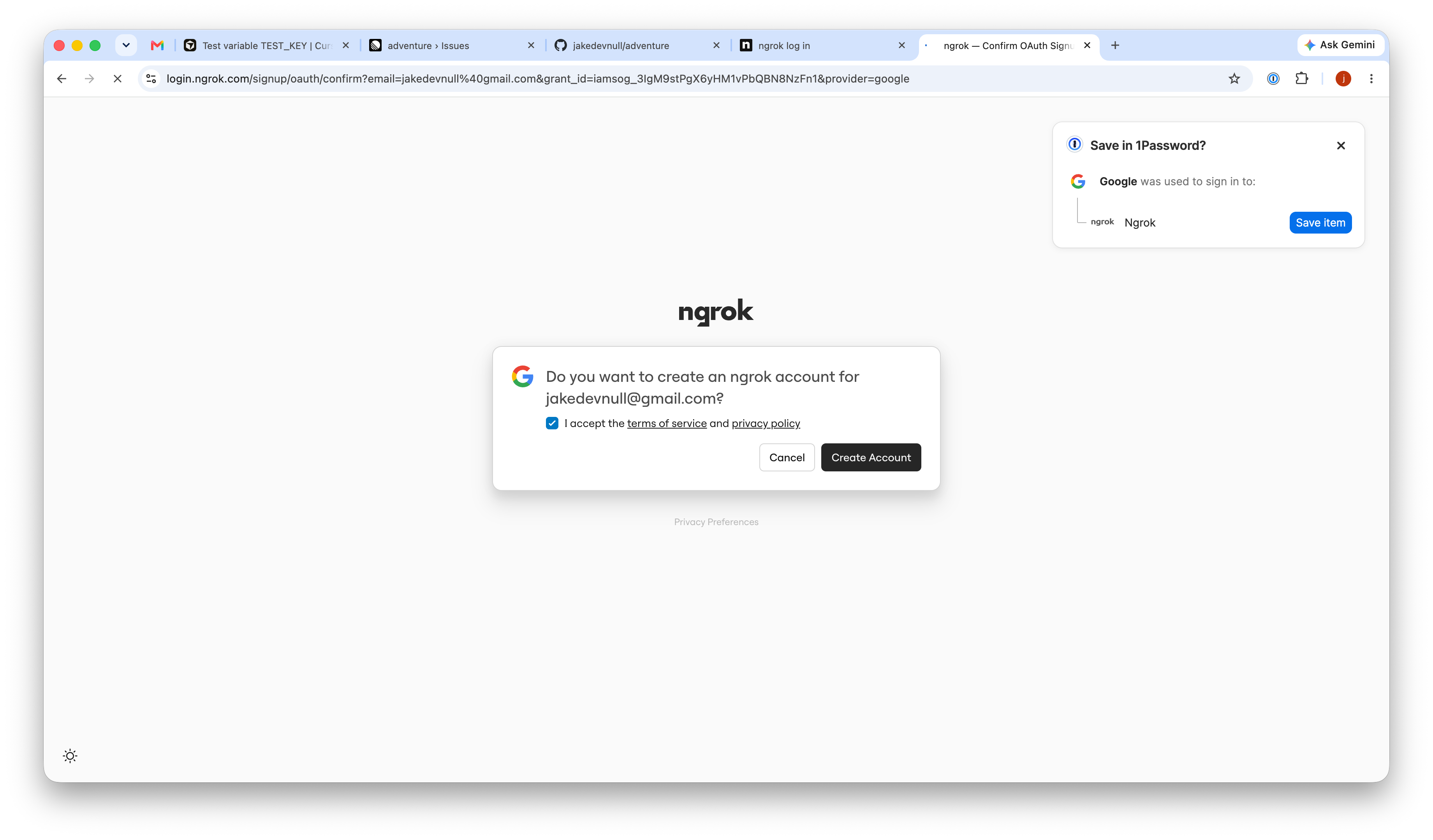
- Ngrok account (easy to create one if you don’t have it)
node --version; jq --version; gh --version | head -1
npm install -g cyrus-ai && cyrus --version        # 0.2.68 at the time
mkdir -p ~/.cyrus
CYRUS · STEP 2
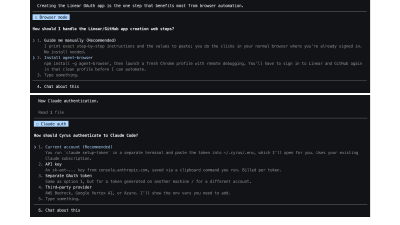
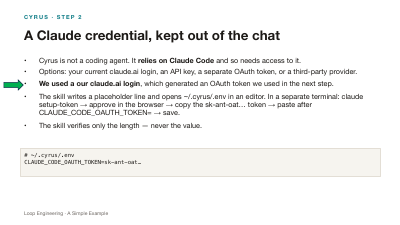
A Claude credential, kept out of the chat
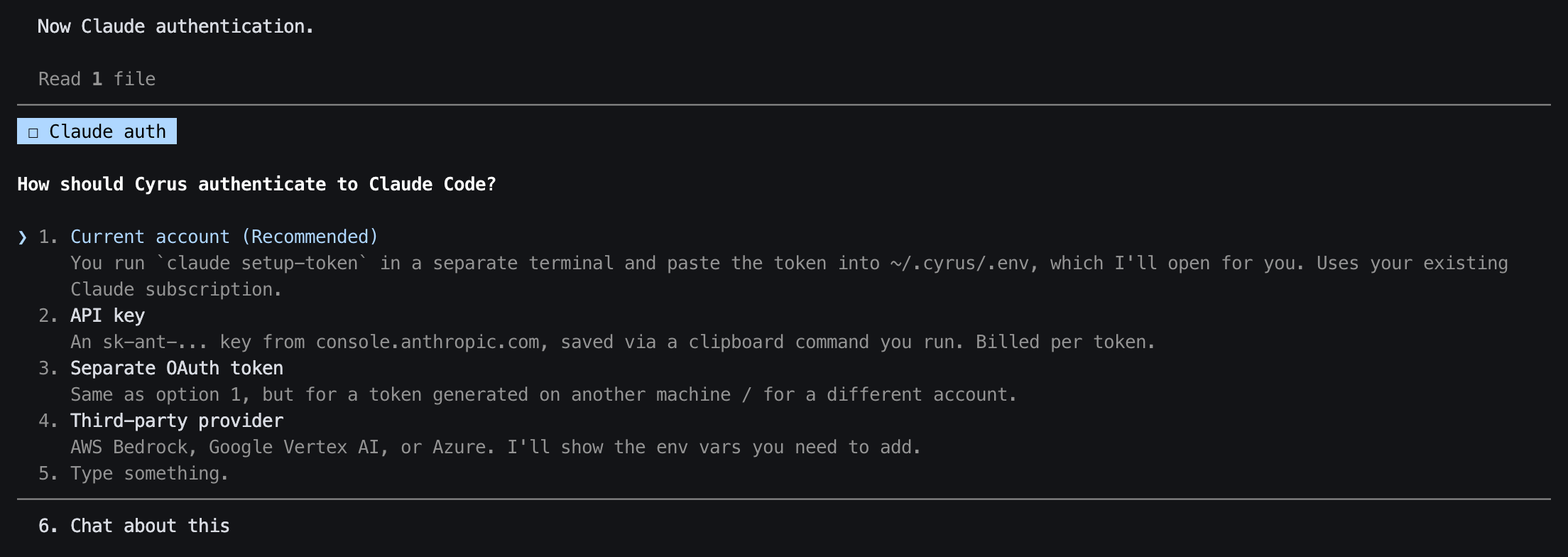
- Cyrus is not a coding agent. It relies on Claude Code and so needs access to it.
- Options: your current claude.ai login, an API key, a separate OAuth token, or a third-party provider.
- We used a our claude.ai login, which generated an OAuth token we used in the next step.
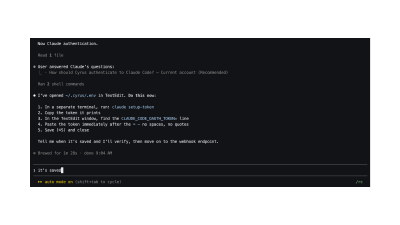
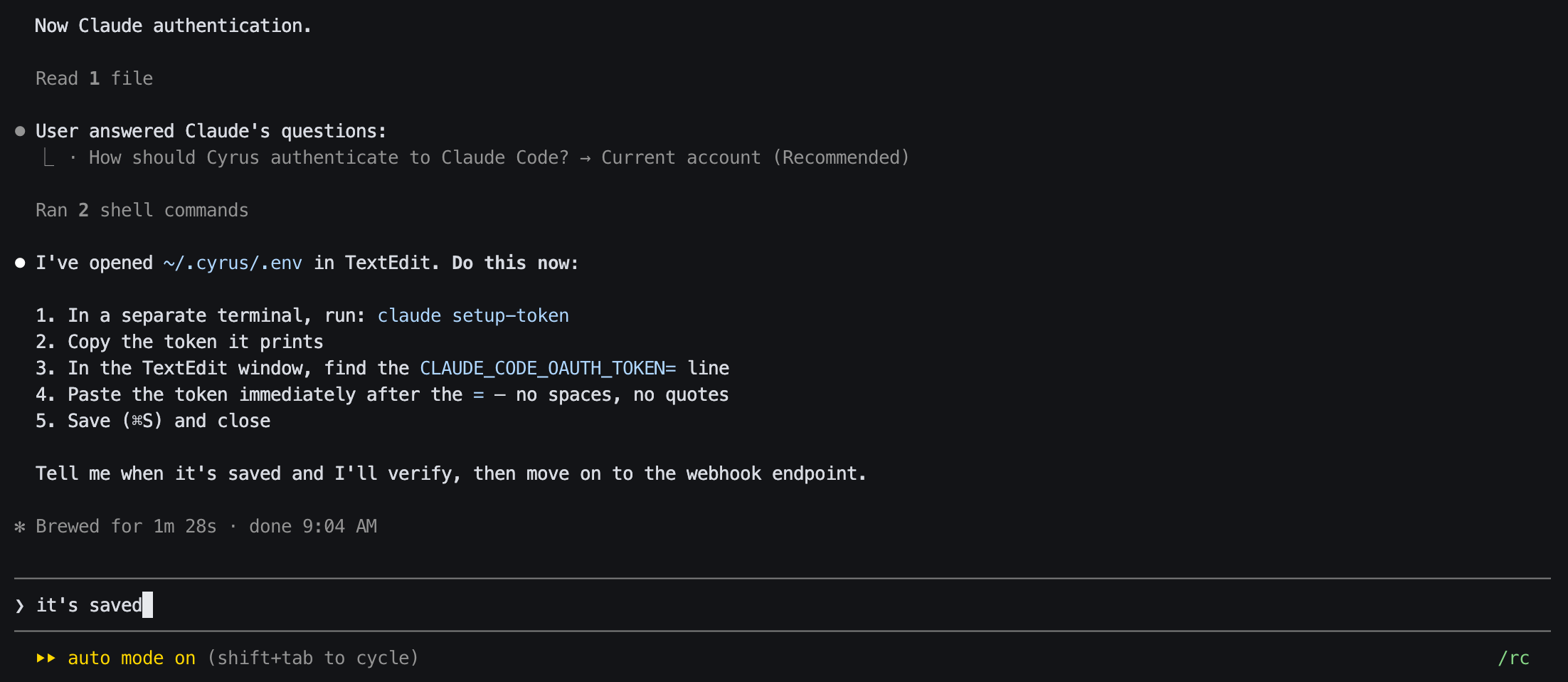
- The skill writes a placeholder line and opens ~/.cyrus/.env in an editor. In a separate terminal: claude setup-token → approve in the browser → copy the sk-ant-oat… token → paste after CLAUDE_CODE_OAUTH_TOKEN= → save.
- The skill verifies only the length — never the value.
# ~/.cyrus/.env
CLAUDE_CODE_OAUTH_TOKEN=sk-ant-oat…
CYRUS · STEP 3
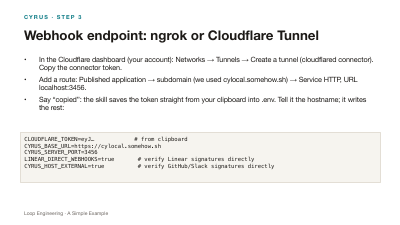
Webhook endpoint: ngrok or Cloudflare Tunnel
- In the Cloudflare dashboard (your account): Networks → Tunnels → Create a tunnel (cloudflared connector). Copy the connector token.
- Add a route: Published application → subdomain (we used cylocal.somehow.sh) → Service HTTP, URL localhost:3456.
- Say “copied”: the skill saves the token straight from your clipboard into .env. Tell it the hostname; it writes the rest:
CLOUDFLARE_TOKEN=eyJ…            # from clipboard
CYRUS_BASE_URL=https://cylocal.somehow.sh
CYRUS_SERVER_PORT=3456
LINEAR_DIRECT_WEBHOOKS=true       # verify Linear signatures directly
CYRUS_HOST_EXTERNAL=true          # verify GitHub/Slack signatures directly
CYRUS · STEP 4A
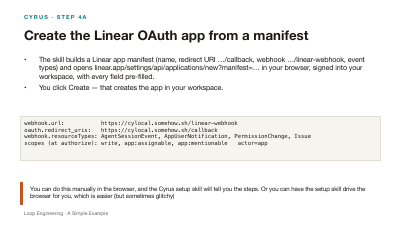
Create the Linear OAuth app from a manifest
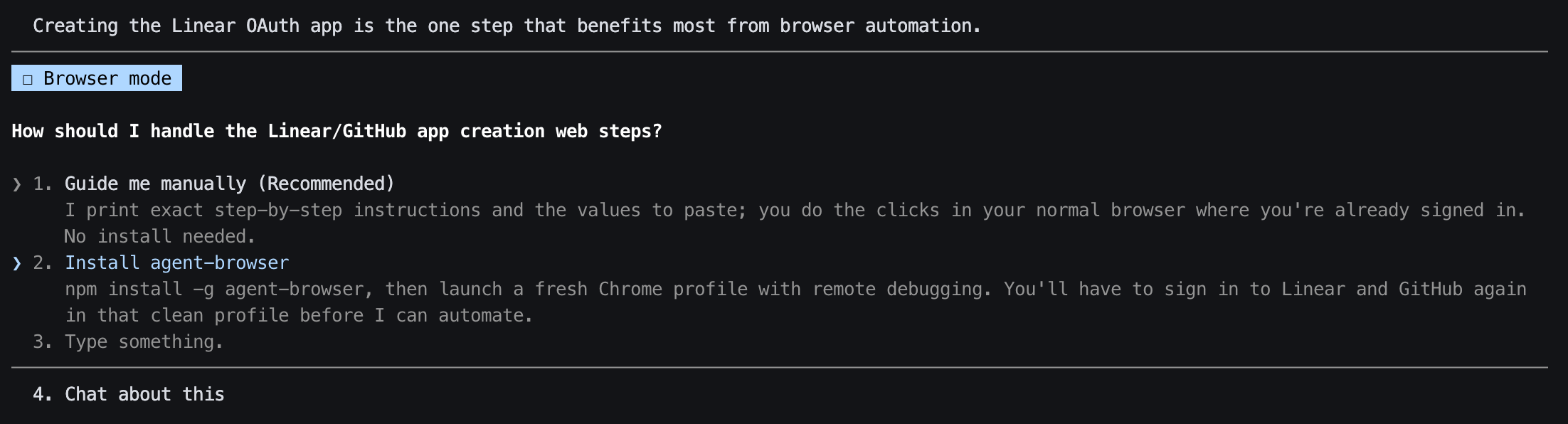
- The skill builds a Linear app manifest (name, redirect URI …/callback, webhook …/linear-webhook, event types) and opens linear.app/settings/api/applications/new?manifest=… in your browser, signed into your workspace, with every field pre-filled.
- You click Create — that creates the app in your workspace.
webhook.url:           https://cylocal.somehow.sh/linear-webhook
oauth.redirect_uris:   https://cylocal.somehow.sh/callback
webhook.resourceTypes: AgentSessionEvent, AppUserNotification, PermissionChange, Issue
scopes (at authorize): write, app:assignable, app:mentionable   actor=app
CYRUS · STEP 4B
Credentials, then one Authorize click
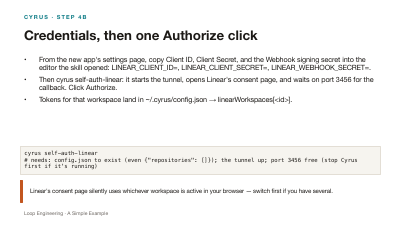
- From the new app's settings page, copy Client ID, Client Secret, and the Webhook signing secret into the editor the skill opened: LINEAR_CLIENT_ID=, LINEAR_CLIENT_SECRET=, LINEAR_WEBHOOK_SECRET=.
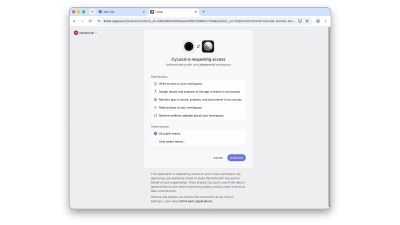
- Then cyrus self-auth-linear: it starts the tunnel, opens Linear's consent page, and waits on port 3456 for the callback. Click Authorize.
- Tokens for that workspace land in ~/.cyrus/config.json → linearWorkspaces[<id>].
cyrus self-auth-linear
# needs: config.json to exist (even {"repositories": []}); the tunnel up; port 3456 free (stop Cyrus first if it's running)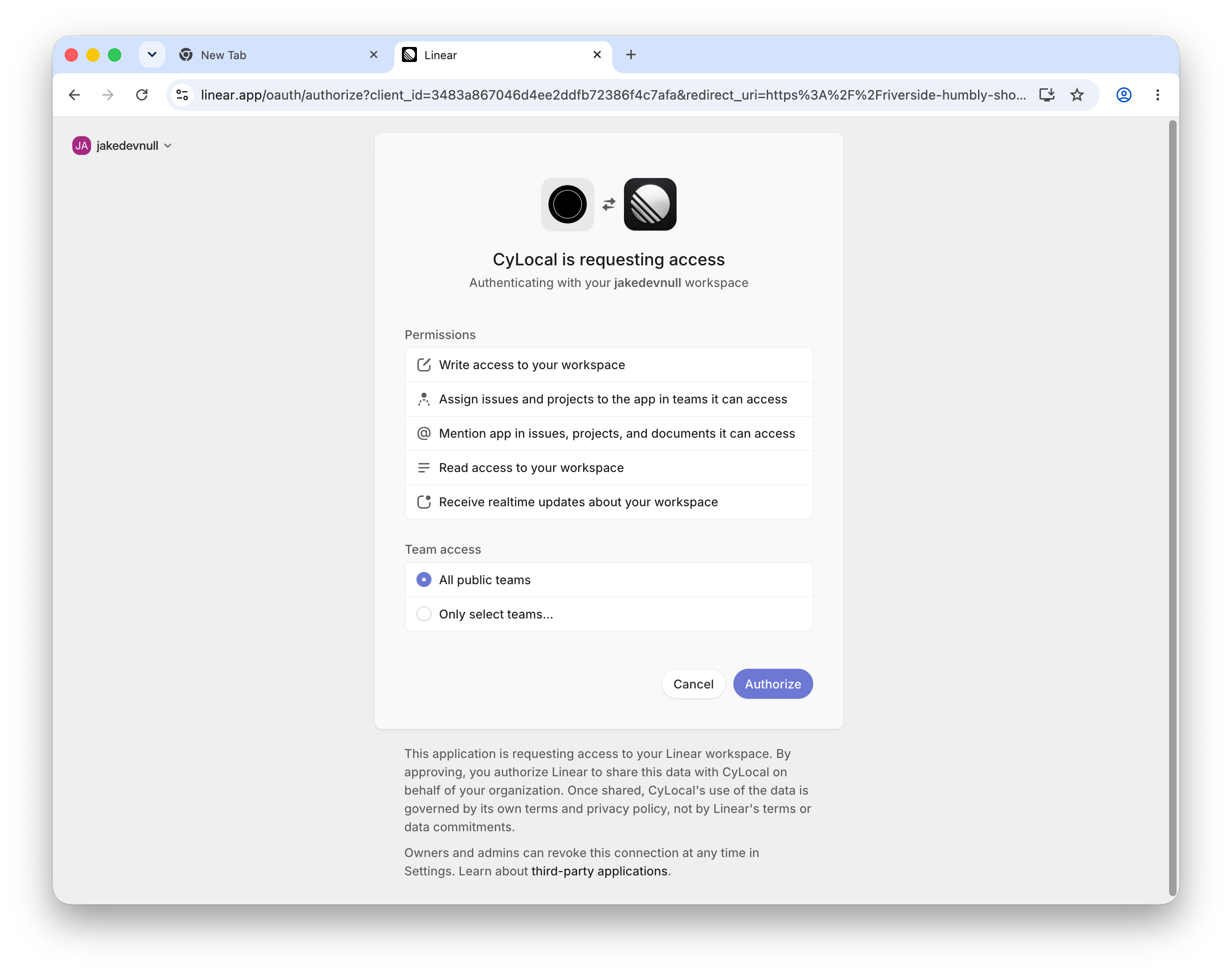
CYRUS · STEP 5
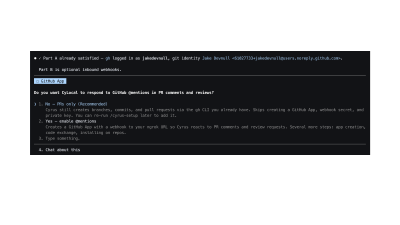
GitHub: outbound is all you need today
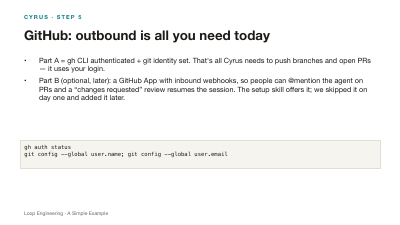
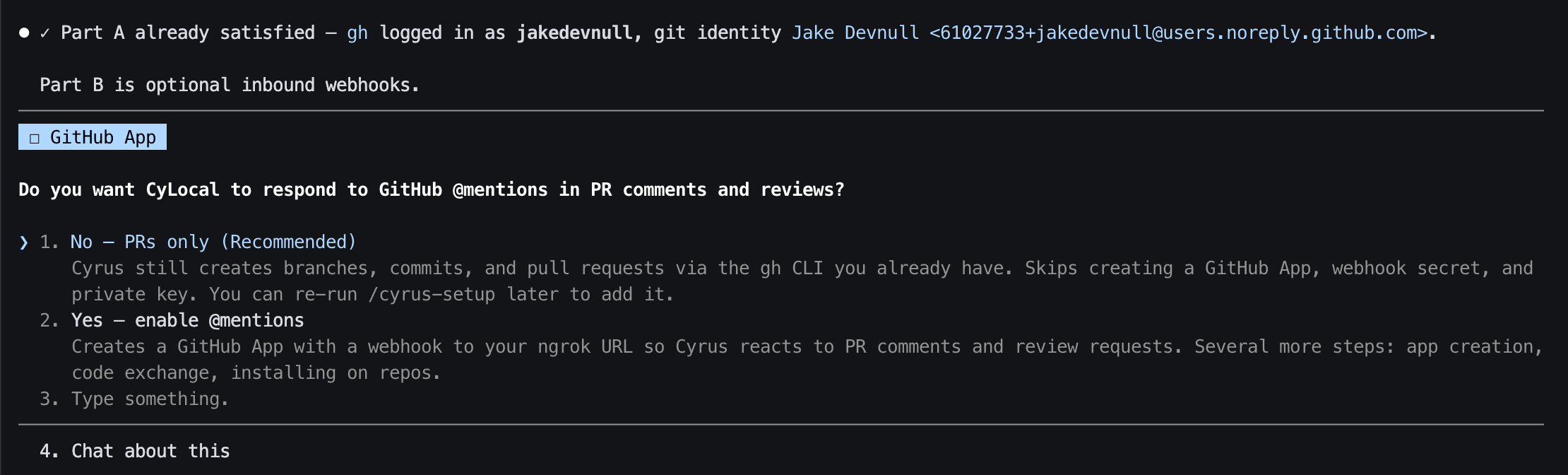
- Part A = gh CLI authenticated + git identity set. That's all Cyrus needs to push branches and open PRs — it uses your login.
- Part B (optional, later): a GitHub App with inbound webhooks, so people can @mention the agent on PRs and a “changes requested” review resumes the session. The setup skill offers it; we skipped it on day one and added it later.
gh auth status
git config --global user.name; git config --global user.email
CYRUS · STEP 6
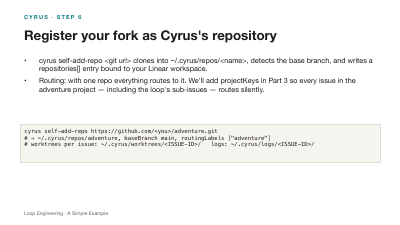
Register your fork as Cyrus's repository
- cyrus self-add-repo <git url> clones into ~/.cyrus/repos/<name>, detects the base branch, and writes a repositories[] entry bound to your Linear workspace.
- Routing: with one repo everything routes to it. We'll add projectKeys in Part 3 so every issue in the adventure project — including the loop's sub-issues — routes silently.
cyrus self-add-repo https://github.com/<you>/adventure.git
# → ~/.cyrus/repos/adventure, baseBranch main, routingLabels ["adventure"]
# worktrees per issue: ~/.cyrus/worktrees/<ISSUE-ID>/   logs: ~/.cyrus/logs/<ISSUE-ID>/
CYRUS · STEP 7
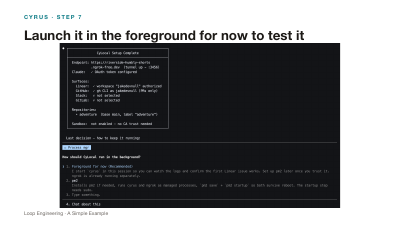
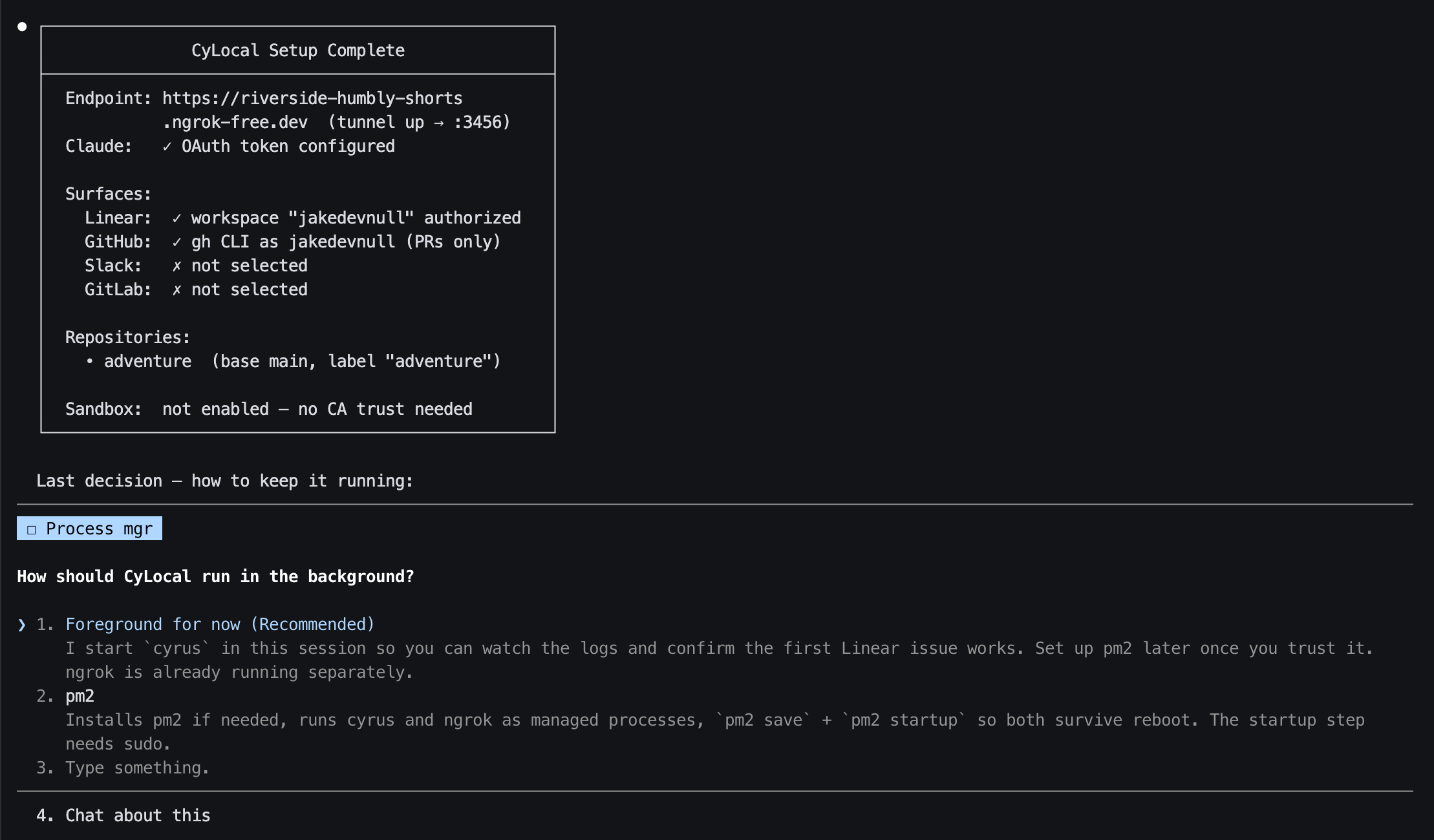
Launch it in the foreground for now to test it
CYRUS
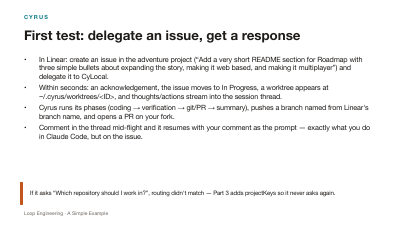
First test: delegate an issue, get a response
- In Linear: create an issue in the adventure project (“Add a very short README section for Roadmap with three simple bullets about expanding the story, making it web based, and making it multiplayer”) and delegate it to CyLocal.
- Within seconds: an acknowledgement, the issue moves to In Progress, a worktree appears at ~/.cyrus/worktrees/<ID>, and thoughts/actions stream into the session thread.
- Cyrus runs its phases (coding → verification → git/PR → summary), pushes a branch named from Linear's branch name, and opens a PR on your fork.
- Comment in the thread mid-flight and it resumes with your comment as the prompt — exactly what you do in Claude Code, but on the issue.
CYRUS · STEP 7
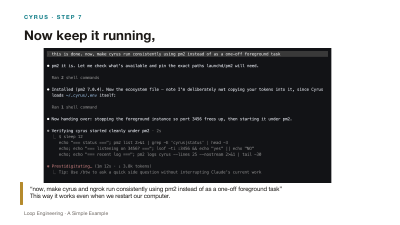
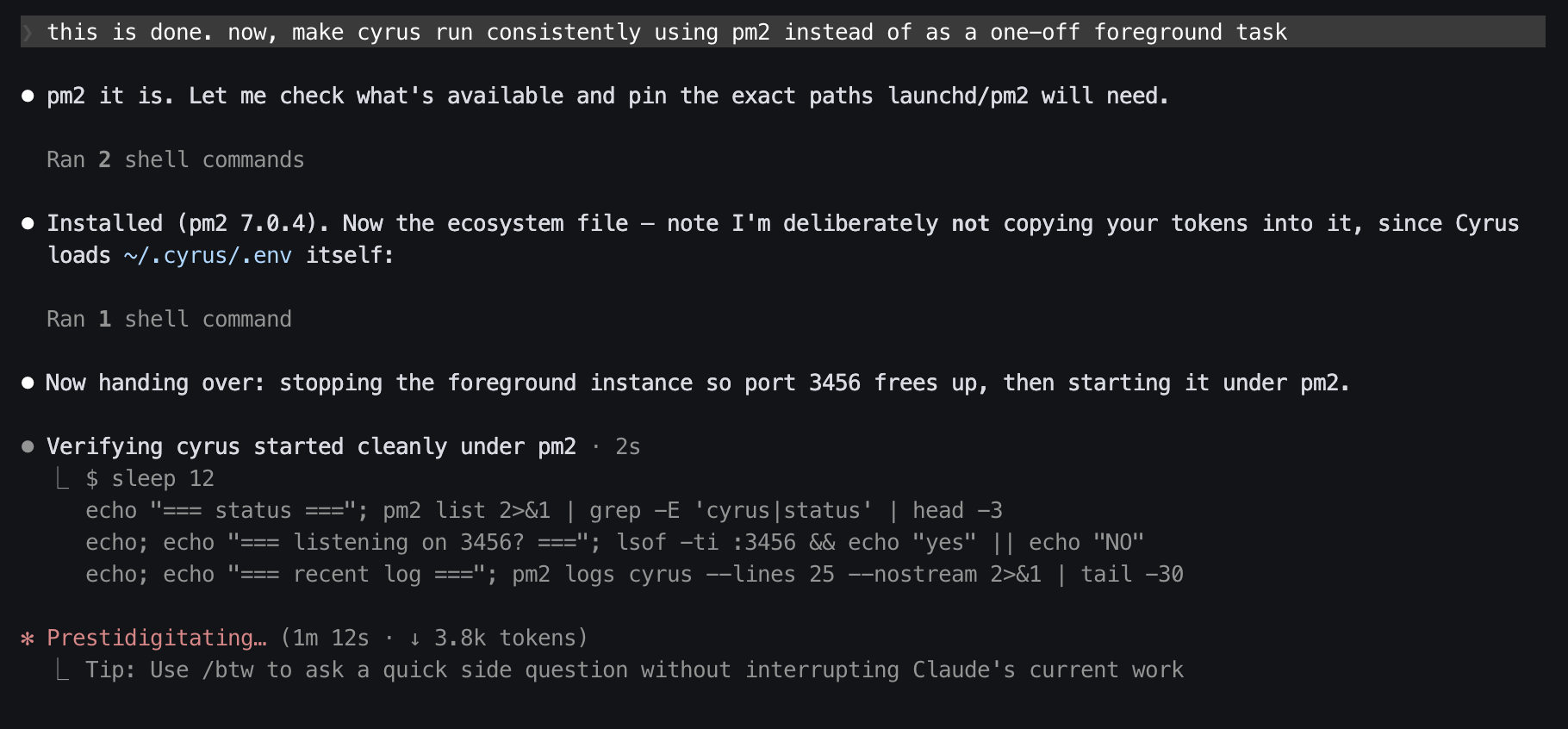
Now keep it running,
CYRUS
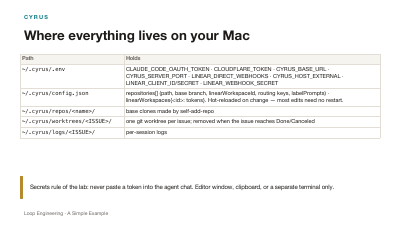
Where everything lives on your Mac
| Path | Holds |
|---|---|
~/.cyrus/.env | CLAUDE_CODE_OAUTH_TOKEN · CLOUDFLARE_TOKEN · CYRUS_BASE_URL · CYRUS_SERVER_PORT · LINEAR_DIRECT_WEBHOOKS · CYRUS_HOST_EXTERNAL · LINEAR_CLIENT_ID/SECRET · LINEAR_WEBHOOK_SECRET |
~/.cyrus/config.json | repositories[] (path, base branch, linearWorkspaceId, routing keys, labelPrompts) · linearWorkspaces{<id>: tokens}. Hot-reloaded on change — most edits need no restart. |
~/.cyrus/repos/<name>/ | base clones made by self-add-repo |
~/.cyrus/worktrees/<ISSUE>/ | one git worktree per issue; removed when the issue reaches Done/Canceled |
~/.cyrus/logs/<ISSUE>/ | per-session logs |
PART 3
The orchestrator, planner, and generator
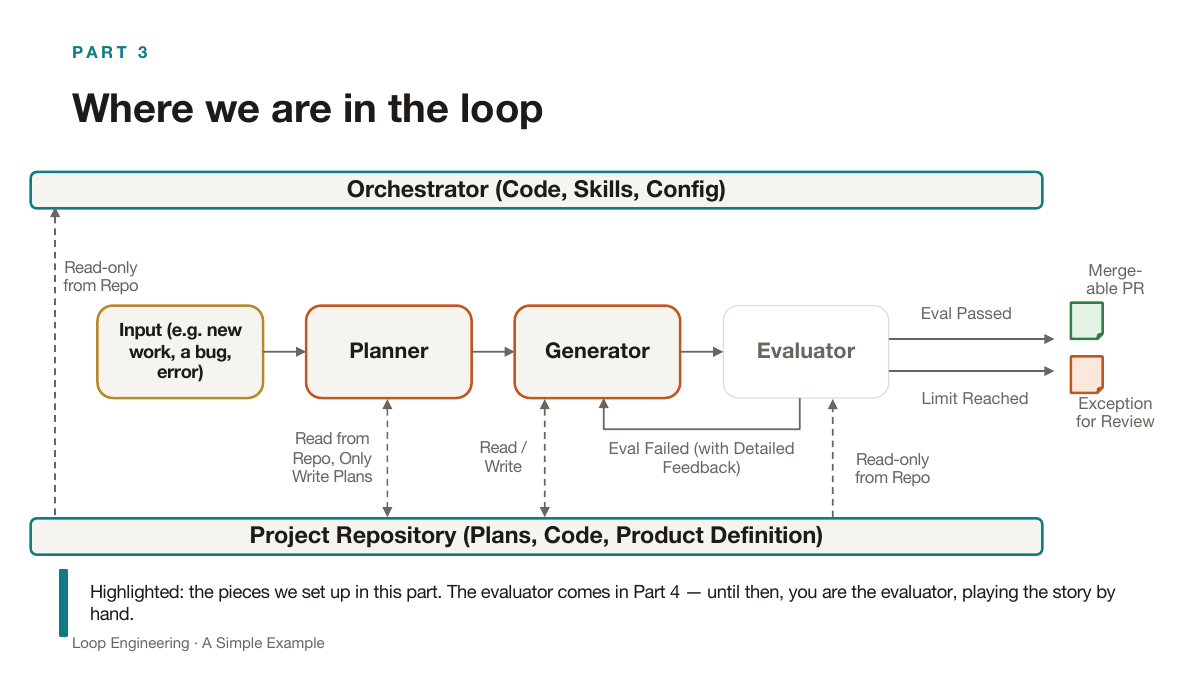
Goal: create an issue for a new story and get one generated in the game so we can play it by hand.
PART 3
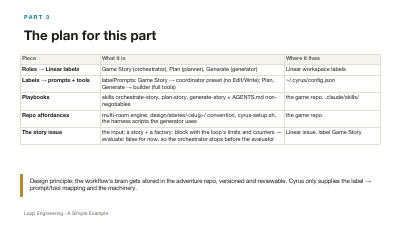
The plan for this part
| Piece | What it is | Where it lives |
|---|---|---|
| Roles → Linear labels | Game Story (orchestrator), Plan (planner), Generate (generator) | Linear workspace labels |
| Labels → prompts + tools | labelPrompts: Game Story → coordinator preset (no Edit/Write); Plan, Generate → builder (full tools) | ~/.cyrus/config.json |
| Playbooks | skills orchestrate-story, plan-story, generate-story + AGENTS.md non-negotiables | the game repo, .claude/skills/ |
| Repo affordances | multi-room engine, design/stories/<slug>/ convention, cyrus-setup.sh, the harness scripts the generator uses | the game repo |
| The story issue | the input: a story + a factory: block with the loop's limits and counters — evaluate: false for now, so the orchestrator stops before the evaluator | Linear issue, label Game Story |
PART 3
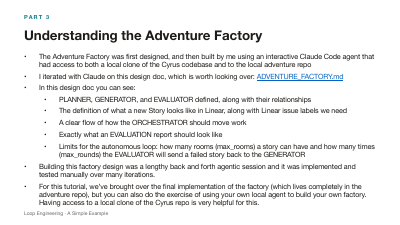
Understanding the Adventure Factory
- The Adventure Factory was first designed, and then built by me using an interactive Claude Code agent that had access to both a local clone of the Cyrus codebase and to the local adventure repo
- I iterated with Claude on this design doc, which is worth looking over: ADVENTURE_FACTORY.md
- In this design doc you can see:
- PLANNER, GENERATOR, and EVALUATOR defined, along with their relationships
- The definition of what a new Story looks like in Linear, along with Linear issue labels we need
- A clear flow of how the ORCHESTRATOR should move work
- Exactly what an EVALUATION report should look like
- Limits for the autonomous loop: how many rooms (max_rooms) a story can have and how many times (max_rounds) the EVALUATOR will send a failed story back to the GENERATOR
- Building this factory design was a lengthy back and forth agentic session and it was implemented and tested manually over many iterations.
- For this tutorial, we’ve brought over the final implementation of the factory (which lives completely in the adventure repo), but you can also do the exercise of using your own local agent to build your own factory. Having access to a local clone of the Cyrus repo is very helpful for this.
PART 3 · REPO
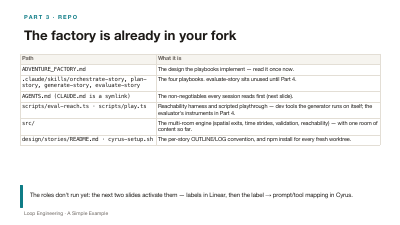
The factory is already in your fork
Nothing to copy, commit, or install — you forked it all in Part 1. We built these in PRs #11–#20 of the original repo; here is what came along:
| Path | What it is |
|---|---|
ADVENTURE_FACTORY.md | The design the playbooks implement — read it once now. |
.claude/skills/orchestrate-story, plan-story, generate-story, evaluate-story | The four playbooks. evaluate-story sits unused until Part 4. |
AGENTS.md (CLAUDE.md is a symlink) | The non-negotiables every session reads first (next slide). |
scripts/eval-reach.ts · scripts/play.ts | Reachability harness and scripted playthrough — dev tools the generator runs on itself; the evaluator's instruments in Part 4. |
src/ | The multi-room engine (spatial exits, time strides, validation, reachability) — with one room of content so far. |
design/stories/README.md · cyrus-setup.sh | The per-story OUTLINE/LOG convention, and npm install for every fresh worktree. |
PART 3 · REPO
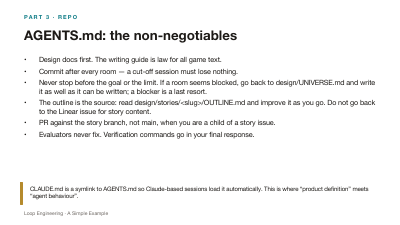
AGENTS.md: the non-negotiables
- Design docs first. The writing guide is law for all game text.
- Commit after every room — a cut-off session must lose nothing.
- Never stop before the goal or the limit. If a room seems blocked, go back to design/UNIVERSE.md and write it as well as it can be written; a blocker is a last resort.
- The outline is the source: read design/stories/<slug>/OUTLINE.md and improve it as you go. Do not go back to the Linear issue for story content.
- PR against the story branch, not main, when you are a child of a story issue.
- Evaluators never fix. Verification commands go in your final response.
PART 3 · PLANNER
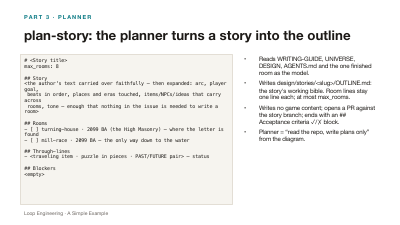
plan-story: the planner turns a story into the outline
# <Story title>
max_rooms: 8

## Story
<the author's text carried over faithfully — then expanded: arc, player goal,
 beats in order, places and eras touched, items/NPCs/ideas that carry across
 rooms, tone — enough that nothing in the issue is needed to write a room>

## Rooms
- [ ] turning-house · 2099 BA (the High Masonry) — where the letter is found
- [ ] mill-race · 2099 BA — the only way down to the water

## Through-lines
- <traveling item · puzzle in pieces · PAST/FUTURE pair> — status

## Blockers
<empty>
- Reads WRITING-GUIDE, UNIVERSE, DESIGN, AGENTS.md and the one finished room as the model.
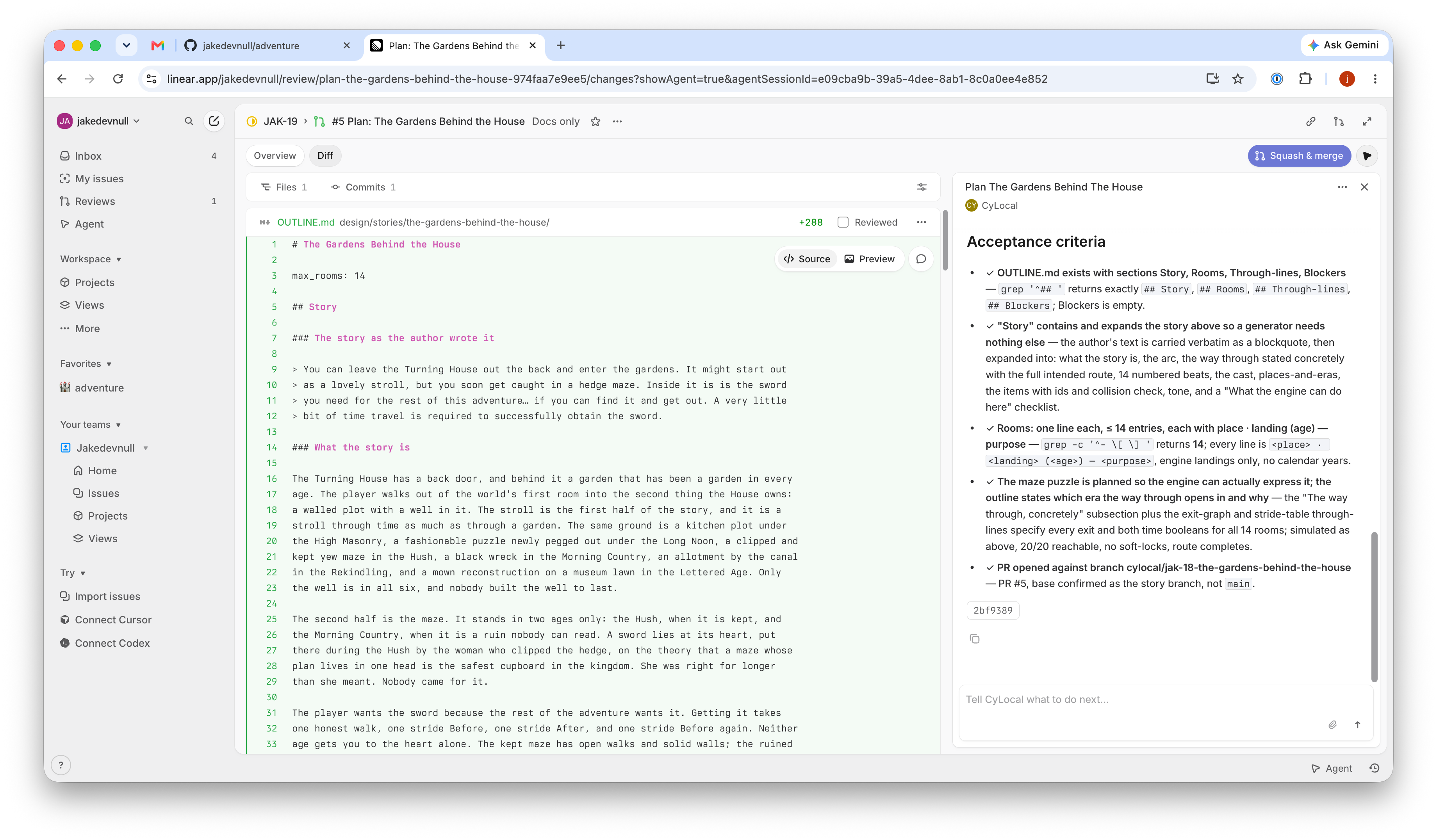
- Writes design/stories/<slug>/OUTLINE.md: the story's working bible. Room lines stay one line each; at most max_rooms.
- Writes no game content; opens a PR against the story branch; ends with an ## Acceptance criteria ✓/✗ block.
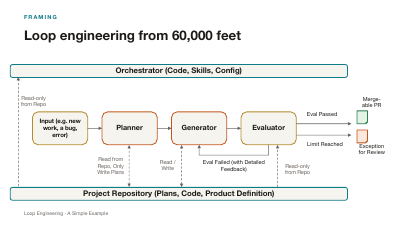
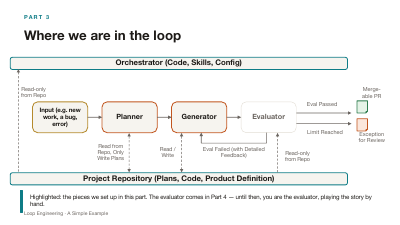
- Planner = “read the repo, write plans only” from the diagram.
PART 3 · GENERATOR
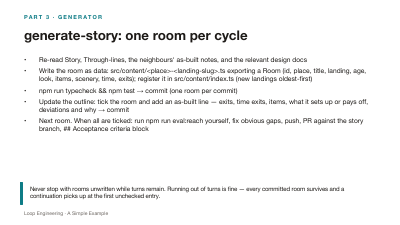
generate-story: one room per cycle
- Re-read Story, Through-lines, the neighbours' as-built notes, and the relevant design docs
- Write the room as data: src/content/<place>-<landing-slug>.ts exporting a Room (id, place, title, landing, age, look, items, scenery, time, exits); register it in src/content/index.ts (new landings oldest-first)
- npm run typecheck && npm test → commit (one room per commit)
- Update the outline: tick the room and add an as-built line — exits, time exits, items, what it sets up or pays off, deviations and why → commit
- Next room. When all are ticked: run npm run eval:reach yourself, fix obvious gaps, push, PR against the story branch, ## Acceptance criteria block
PART 3 · ORCHESTRATOR
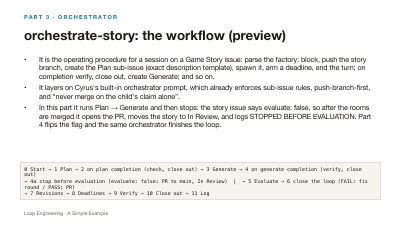
orchestrate-story: the workflow (preview)
- It is the operating procedure for a session on a Game Story issue: parse the factory: block, push the story branch, create the Plan sub-issue (exact description template), spawn it, arm a deadline, end the turn; on completion verify, close out, create Generate; and so on.
- It layers on Cyrus's built-in orchestrator prompt, which already enforces sub-issue rules, push-branch-first, and “never merge on the child's claim alone”.
- In this part it runs Plan → Generate and then stops: the story issue says evaluate: false, so after the rooms are merged it opens the PR, moves the story to In Review, and logs STOPPED BEFORE EVALUATION. Part 4 flips the flag and the same orchestrator finishes the loop.
0 Start → 1 Plan → 2 on plan completion (check, close out) → 3 Generate → 4 on generate completion (verify, close out)
→ 4a stop before evaluation (evaluate: false: PR to main, In Review)  |  → 5 Evaluate → 6 close the loop (FAIL: fix round / PASS: PR)
→ 7 Revisions → 8 Deadlines → 9 Verify → 10 Close out → 11 Log
PART 3 · LINEAR
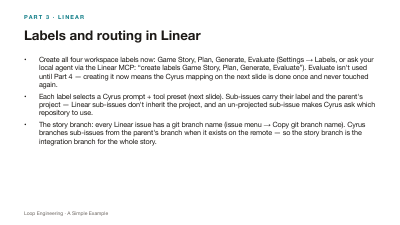
Labels and routing in Linear
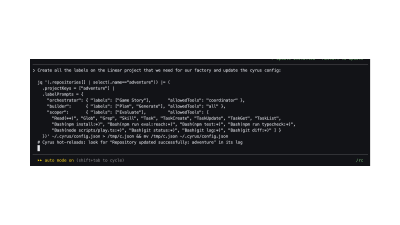
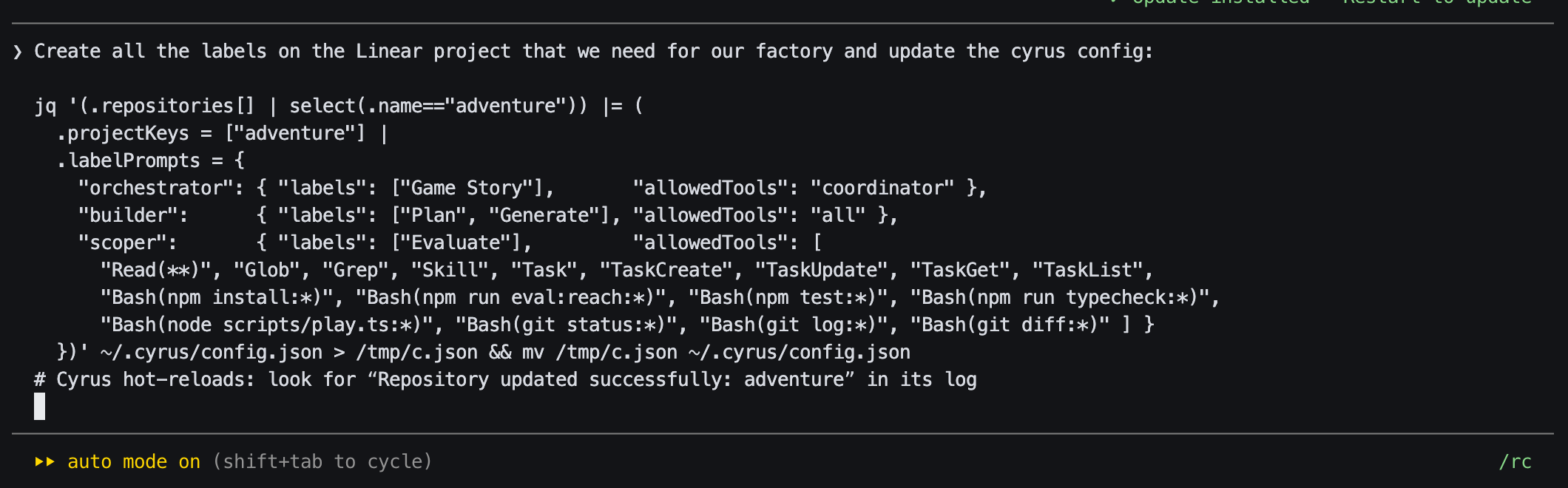
- Create all four workspace labels now: Game Story, Plan, Generate, Evaluate (Settings → Labels, or ask your local agent via the Linear MCP: “create labels Game Story, Plan, Generate, Evaluate”). Evaluate isn't used until Part 4 — creating it now means the Cyrus mapping on the next slide is done once and never touched again.
- Each label selects a Cyrus prompt + tool preset (next slide). Sub-issues carry their label and the parent's project — Linear sub-issues don't inherit the project, and an un-projected sub-issue makes Cyrus ask which repository to use.
- The story branch: every Linear issue has a git branch name (issue menu → Copy git branch name). Cyrus branches sub-issues from the parent's branch when it exists on the remote — so the story branch is the integration branch for the whole story.
PART 3 · CYRUS
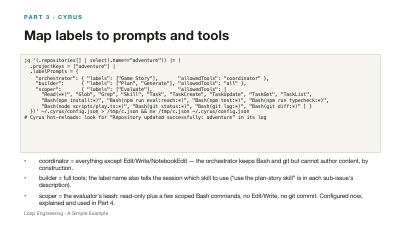
Map labels to prompts and tools
jq '(.repositories[] | select(.name=="adventure")) |= (
  .projectKeys = ["adventure"] |
  .labelPrompts = {
    "orchestrator": { "labels": ["Game Story"],       "allowedTools": "coordinator" },
    "builder":      { "labels": ["Plan", "Generate"], "allowedTools": "all" },
    "scoper":       { "labels": ["Evaluate"],         "allowedTools": [
      "Read(**)", "Glob", "Grep", "Skill", "Task", "TaskCreate", "TaskUpdate", "TaskGet", "TaskList",
      "Bash(npm install:*)", "Bash(npm run eval:reach:*)", "Bash(npm test:*)", "Bash(npm run typecheck:*)",
      "Bash(node scripts/play.ts:*)", "Bash(git status:*)", "Bash(git log:*)", "Bash(git diff:*)" ] }
  })' ~/.cyrus/config.json > /tmp/c.json && mv /tmp/c.json ~/.cyrus/config.json
# Cyrus hot-reloads: look for “Repository updated successfully: adventure” in its log- coordinator = everything except Edit/Write/NotebookEdit — the orchestrator keeps Bash and git but cannot author content, by construction.
- builder = full tools; the label name also tells the session which skill to use (“use the plan-story skill” is in each sub-issue's description).
- scoper = the evaluator's leash: read-only plus a few scoped Bash commands, no Edit/Write, no git commit. Configured now, explained and used in Part 4.
PART 3 · HANDS-ON
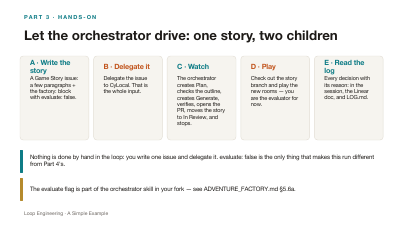
Let the orchestrator drive: one story, two children
A · Write the story
A Game Story issue: a few paragraphs + the factory: block with evaluate: false.
B · Delegate it
Delegate the issue to CyLocal. That is the whole input.
C · Watch
The orchestrator creates Plan, checks the outline, creates Generate, verifies, opens the PR, moves the story to In Review, and stops.
D · Play
Check out the story branch and play the new rooms — you are the evaluator for now.
E · Read the log
Every decision with its reason: in the session, the Linear doc, and LOG.md.
PART 3 · HANDS-ON · A + B
Write the story issue and delegate it
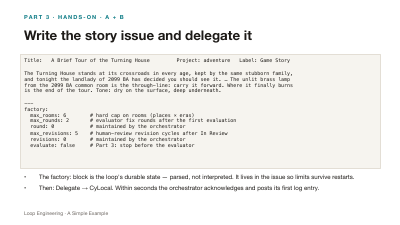
Title:   A Brief Tour of the Turning House         Project: adventure   Label: Game Story

The Turning House stands at its crossroads in every age, kept by the same stubborn family,
and tonight the landlady of 2099 BA has decided you should see it. … The unlit brass lamp
from the 2099 BA common room is the through-line: carry it forward. Where it finally burns
is the end of the tour. Tone: dry on the surface, deep underneath.

---
factory:
  max_rooms: 6        # hard cap on rooms (places × eras)
  max_rounds: 2       # evaluator fix rounds after the first evaluation
  round: 0            # maintained by the orchestrator
  max_revisions: 5    # human-review revision cycles after In Review
  revisions: 0        # maintained by the orchestrator
  evaluate: false     # Part 3: stop before the evaluator
- The factory: block is the loop's durable state — parsed, not interpreted. It lives in the issue so limits survive restarts.
- Then: Delegate → CyLocal. Within seconds the orchestrator acknowledges and posts its first log entry.
PART 3 · HANDS-ON · C
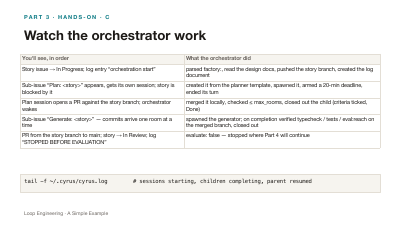
Watch the orchestrator work
| You'll see, in order | What the orchestrator did |
|---|---|
| Story issue → In Progress; log entry “orchestration start” | parsed factory:, read the design docs, pushed the story branch, created the log document |
| Sub-issue “Plan: <story>” appears, gets its own session; story is blocked by it | created it from the planner template, spawned it, armed a 20-min deadline, ended its turn |
| Plan session opens a PR against the story branch; orchestrator wakes | merged it locally, checked ≤ max_rooms, closed out the child (criteria ticked, Done) |
| Sub-issue “Generate: <story>” — commits arrive one room at a time | spawned the generator; on completion verified typecheck / tests / eval:reach on the merged branch, closed out |
| PR from the story branch to main; story → In Review; log “STOPPED BEFORE EVALUATION” | evaluate: false — stopped where Part 4 will continue |
tail -f ~/.cyrus/cyrus.log # sessions starting, children completing, parent resumed
PART 3 · HANDS-ON · D + E
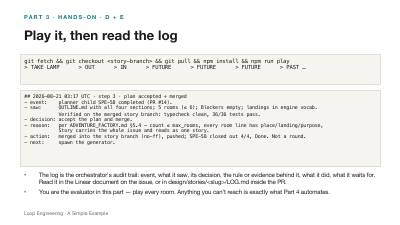
Play it, then read the log
git fetch && git checkout <story-branch> && git pull && npm install && npm run play
> TAKE LAMP      > OUT      > IN      > FUTURE      > FUTURE      > FUTURE      > PAST …
## 2026-08-21 03:17 UTC · step 3 · plan accepted + merged
- event:    planner child SPE-58 completed (PR #14).
- saw:      OUTLINE.md with all four sections; 5 rooms (≤ 6); Blockers empty; landings in engine vocab.
            Verified on the merged story branch: typecheck clean, 36/36 tests pass.
- decision: accept the plan and merge.
- reason:   per ADVENTURE_FACTORY.md §5.4 — count ≤ max_rooms, every room line has place/landing/purpose,
            Story carries the whole issue and reads as one story.
- action:   merged into the story branch (no-ff), pushed; SPE-58 closed out 4/4, Done. Not a round.
- next: spawn the generator.- The log is the orchestrator's audit trail: event, what it saw, its decision, the rule or evidence behind it, what it did, what it waits for. Read it in the Linear document on the issue, or in design/stories/<slug>/LOG.md inside the PR.
- You are the evaluator in this part — play every room. Anything you can't reach is exactly what Part 4 automates.
PART 4
The evaluator — and the orchestrator that closes the loop
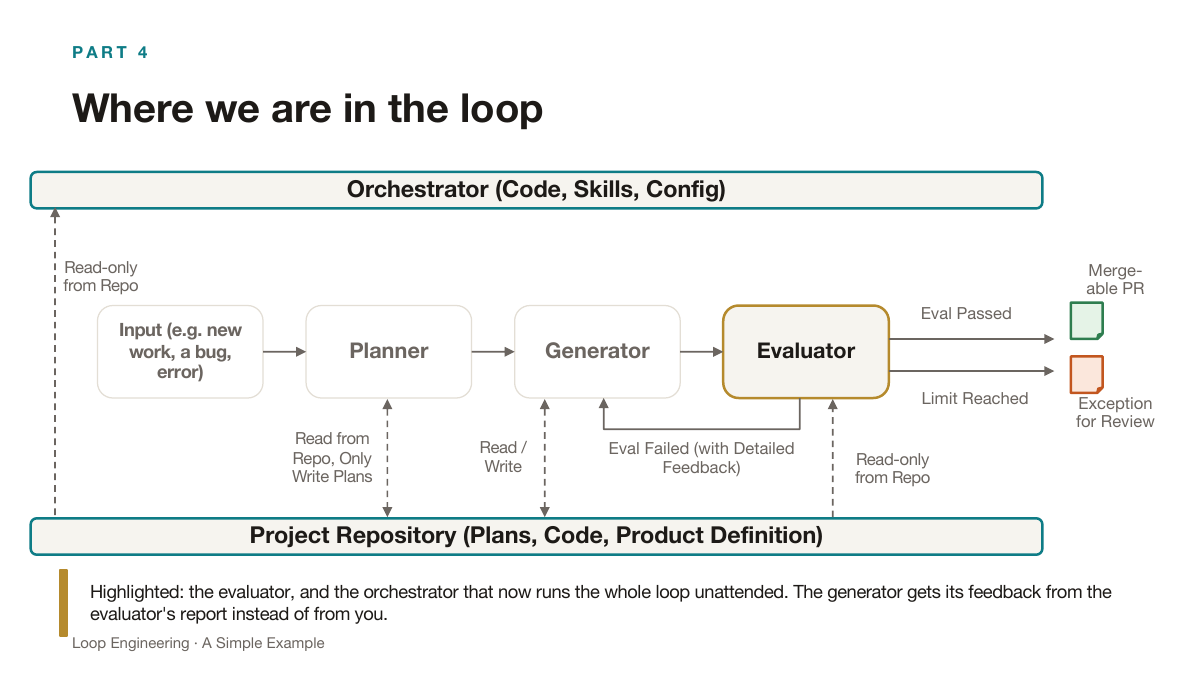
Goal: create an issue for a new story, and one gets generated and automatically evaluated, looping on failure until it passes or a limit is hit.
PART 4
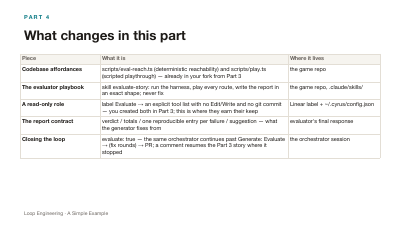
What changes in this part
| Piece | What it is | Where it lives |
|---|---|---|
| Codebase affordances | scripts/eval-reach.ts (deterministic reachability) and scripts/play.ts (scripted playthrough) — already in your fork from Part 3 | the game repo |
| The evaluator playbook | skill evaluate-story: run the harness, play every route, write the report in an exact shape; never fix | the game repo, .claude/skills/ |
| A read-only role | label Evaluate → an explicit tool list with no Edit/Write and no git commit — you created both in Part 3; this is where they earn their keep | Linear label + ~/.cyrus/config.json |
| The report contract | verdict / totals / one reproducible entry per failure / suggestion — what the generator fixes from | evaluator's final response |
| Closing the loop | evaluate: true — the same orchestrator continues past Generate: Evaluate → (fix rounds) → PR; a comment resumes the Part 3 story where it stopped | the orchestrator session |
PART 4 · CODEBASE
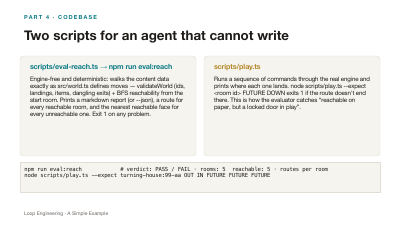
Two scripts for an agent that cannot write
scripts/eval-reach.ts → npm run eval:reach
Engine-free and deterministic: walks the content data exactly as src/world.ts defines moves — validateWorld (ids, landings, items, dangling exits) + BFS reachability from the start room. Prints a markdown report (or --json), a route for every reachable room, and the nearest reachable face for every unreachable one. Exit 1 on any problem.
scripts/play.ts
Runs a sequence of commands through the real engine and prints where each one lands. node scripts/play.ts --expect <room id> FUTURE DOWN exits 1 if the route doesn't end there. This is how the evaluator catches “reachable on paper, but a locked door in play”.
npm run eval:reach            # verdict: PASS / FAIL · rooms: 5  reachable: 5 · routes per room
node scripts/play.ts --expect turning-house:99-aa OUT IN FUTURE FUTURE FUTURE
PART 4 · EVALUATOR
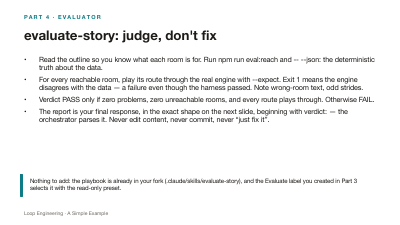
evaluate-story: judge, don't fix
- Read the outline so you know what each room is for. Run npm run eval:reach and -- --json: the deterministic truth about the data.
- For every reachable room, play its route through the real engine with --expect. Exit 1 means the engine disagrees with the data — a failure even though the harness passed. Note wrong-room text, odd strides.
- Verdict PASS only if zero problems, zero unreachable rooms, and every route plays through. Otherwise FAIL.
- The report is your final response, in the exact shape on the next slide, beginning with verdict: — the orchestrator parses it. Never edit content, never commit, never “just fix it”.
PART 4 · EVALUATOR
The report: evaluator ↔ generator contract
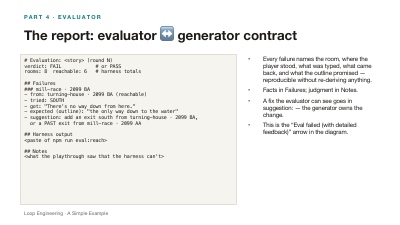
# Evaluation: <story> (round N)
verdict: FAIL            # or PASS
rooms: 8  reachable: 6   # harness totals

## Failures
### mill-race · 2099 BA
- from: turning-house · 2099 BA (reachable)
- tried: SOUTH
- got: "There's no way down from here."
- expected (outline): "the only way down to the water"
- suggestion: add an exit south from turning-house · 2099 BA,
  or a PAST exit from mill-race · 2099 AA

## Harness output
<paste of npm run eval:reach>

## Notes
<what the playthrough saw that the harness can't>
- Every failure names the room, where the player stood, what was typed, what came back, and what the outline promised — reproducible without re-deriving anything.
- Facts in Failures; judgment in Notes.
- A fix the evaluator can see goes in suggestion: — the generator owns the change.
- This is the “Eval failed (with detailed feedback)” arrow in the diagram.
PART 4 · CYRUS
Read-only by construction
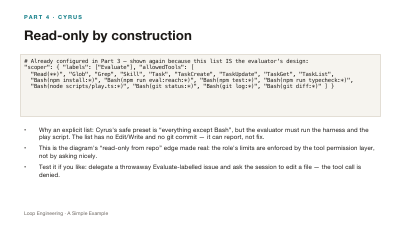
# Already configured in Part 3 — shown again because this list IS the evaluator's design:
"scoper": { "labels": ["Evaluate"], "allowedTools": [
  "Read(**)", "Glob", "Grep", "Skill", "Task", "TaskCreate", "TaskUpdate", "TaskGet", "TaskList",
  "Bash(npm install:*)", "Bash(npm run eval:reach:*)", "Bash(npm test:*)", "Bash(npm run typecheck:*)",
"Bash(node scripts/play.ts:*)", "Bash(git status:*)", "Bash(git log:*)", "Bash(git diff:*)" ] }- Why an explicit list: Cyrus's safe preset is “everything except Bash”, but the evaluator must run the harness and the play script. The list has no Edit/Write and no git commit — it can report, not fix.
- This is the diagram's “read-only from repo” edge made real: the role's limits are enforced by the tool permission layer, not by asking nicely.
- Test it if you like: delegate a throwaway Evaluate-labelled issue and ask the session to edit a file — the tool call is denied.
PART 4 · ORCHESTRATOR
Now the orchestrator runs the whole loop
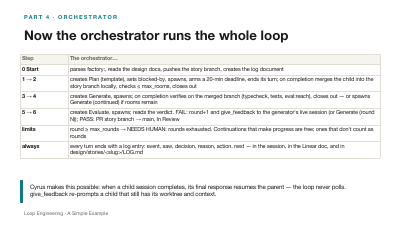
| Step | The orchestrator… |
|---|---|
| 0 Start | parses factory:, reads the design docs, pushes the story branch, creates the log document |
| 1 → 2 | creates Plan (template), sets blocked-by, spawns, arms a 20-min deadline, ends its turn; on completion merges the child into the story branch locally, checks ≤ max_rooms, closes out |
| 3 → 4 | creates Generate, spawns; on completion verifies on the merged branch (typecheck, tests, eval:reach), closes out — or spawns Generate (continued) if rooms remain |
| 5 → 6 | creates Evaluate, spawns; reads the verdict. FAIL: round+1 and give_feedback to the generator's live session (or Generate (round N)); PASS: PR story branch → main, In Review |
| limits | round ≥ max_rounds → NEEDS HUMAN: rounds exhausted. Continuations that make progress are free; ones that don't count as rounds |
| always | every turn ends with a log entry: event, saw, decision, reason, action, next — in the session, in the Linear doc, and in design/stories/<slug>/LOG.md |
PART 4 · HANDS-ON
Flip the flag, and the same story finishes itself
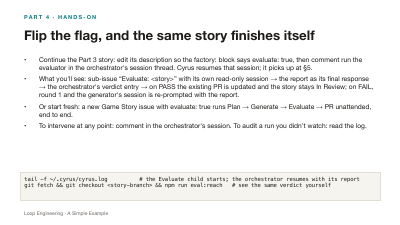
- Continue the Part 3 story: edit its description so the factory: block says evaluate: true, then comment run the evaluator in the orchestrator's session thread. Cyrus resumes that session; it picks up at §5.
- What you'll see: sub-issue “Evaluate: <story>” with its own read-only session → the report as its final response → the orchestrator's verdict entry → on PASS the existing PR is updated and the story stays In Review; on FAIL, round 1 and the generator's session is re-prompted with the report.
- Or start fresh: a new Game Story issue with evaluate: true runs Plan → Generate → Evaluate → PR unattended, end to end.
- To intervene at any point: comment in the orchestrator's session. To audit a run you didn't watch: read the log.
tail -f ~/.cyrus/cyrus.log          # the Evaluate child starts; the orchestrator resumes with its report
git fetch && git checkout <story-branch> && npm run eval:reach   # see the same verdict yourself
PART 5
Bringing it all together
What we built, the roles and the loop once more, and a brand-new story end to end.
PART 5
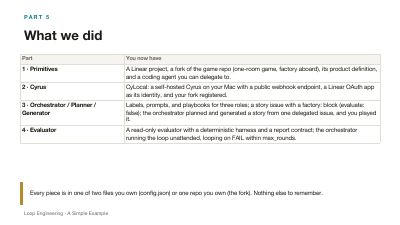
What we did
| Part | You now have |
|---|---|
| 1 · Primitives | A Linear project, a fork of the game repo (one-room game, factory aboard), its product definition, and a coding agent you can delegate to. |
| 2 · Cyrus | CyLocal: a self-hosted Cyrus on your Mac with a public webhook endpoint, a Linear OAuth app as its identity, and your fork registered. |
| 3 · Orchestrator / Planner / Generator | Labels, prompts, and playbooks for three roles; a story issue with a factory: block (evaluate: false); the orchestrator planned and generated a story from one delegated issue, and you played it. |
| 4 · Evaluator | A read-only evaluator with a deterministic harness and a report contract; the orchestrator running the loop unattended, looping on FAIL within max_rounds. |
PART 5
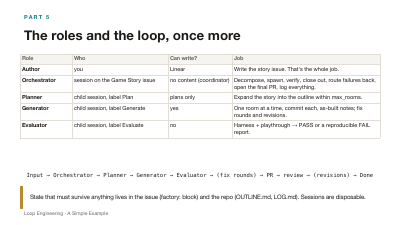
The roles and the loop, once more
| Role | Who | Can write? | Job |
|---|---|---|---|
| Author | you | Linear | Write the story issue. That's the whole job. |
| Orchestrator | session on the Game Story issue | no content (coordinator) | Decompose, spawn, verify, close out, route failures back, open the final PR, log everything. |
| Planner | child session, label Plan | plans only | Expand the story into the outline within max_rooms. |
| Generator | child session, label Generate | yes | One room at a time, commit each, as-built notes; fix rounds and revisions. |
| Evaluator | child session, label Evaluate | no | Harness + playthrough → PASS or a reproducible FAIL report. |
Input → Orchestrator → Planner → Generator → Evaluator → (fix rounds) → PR → review → (revisions) → Done
PART 5
Living with the loop: review, revise, intervene
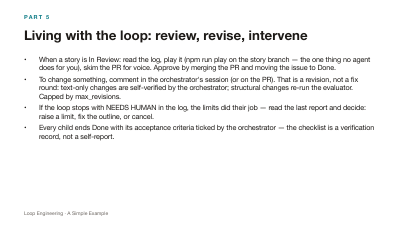
- When a story is In Review: read the log, play it (npm run play on the story branch — the one thing no agent does for you), skim the PR for voice. Approve by merging the PR and moving the issue to Done.
- To change something, comment in the orchestrator's session (or on the PR). That is a revision, not a fix round: text-only changes are self-verified by the orchestrator; structural changes re-run the evaluator. Capped by max_revisions.
- If the loop stops with NEEDS HUMAN in the log, the limits did their job — read the last report and decide: raise a limit, fix the outline, or cancel.
- Every child ends Done with its acceptance criteria ticked by the orchestrator — the checklist is a verification record, not a self-report.
PART 5
What to expect from a brand-new story
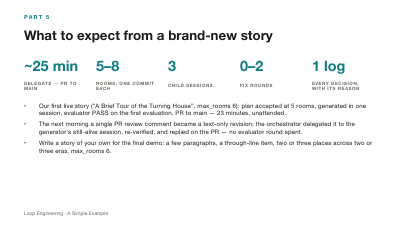
- Our first live story (“A Brief Tour of the Turning House”, max_rooms 6): plan accepted at 5 rooms, generated in one session, evaluator PASS on the first evaluation, PR to main — 23 minutes, unattended.
- The next morning a single PR review comment became a text-only revision: the orchestrator delegated it to the generator's still-alive session, re-verified, and replied on the PR — no evaluator round spent.
- Write a story of your own for the final demo: a few paragraphs, a through-line item, two or three places across two or three eras, max_rooms 6.
PART 5 · DEMO
Demo: a brand-new story, end to end
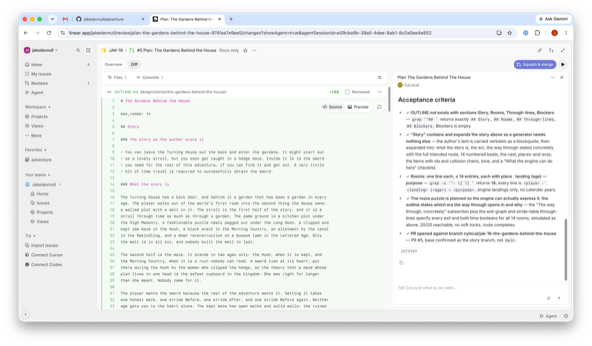
One new Game Story issue (JAK-19, “The Gardens Behind the House”) delegated to CyLocal — here the planner’s PR is under review in Linear: the OUTLINE.md diff on the left, the orchestrator’s verified acceptance criteria on the right, one Squash & merge away.
FUTURE
Where this goes next
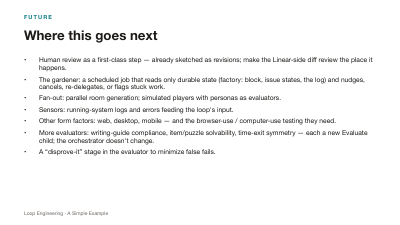
- Human review as a first-class step — already sketched as revisions; make the Linear-side diff review the place it happens.
- The gardener: a scheduled job that reads only durable state (factory: block, issue states, the log) and nudges, cancels, re-delegates, or flags stuck work.
- Fan-out: parallel room generation; simulated players with personas as evaluators.
- Sensors: running-system logs and errors feeding the loop's input.
- Other form factors: web, desktop, mobile — and the browser-use / computer-use testing they need.
- More evaluators: writing-guide compliance, item/puzzle solvability, time-exit symmetry — each a new Evaluate child; the orchestrator doesn't change.
- A “disprove-it” stage in the evaluator to minimize false fails.
APPENDIX
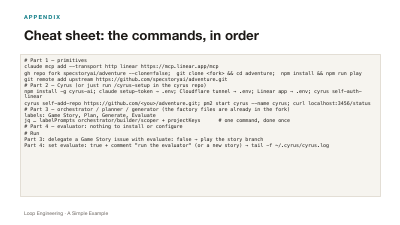
Cheat sheet: the commands, in order
# Part 1 — primitives
claude mcp add --transport http linear https://mcp.linear.app/mcp
gh repo fork specstoryai/adventure --clone=false;  git clone <fork> && cd adventure;  npm install && npm run play
git remote add upstream https://github.com/specstoryai/adventure.git
# Part 2 — Cyrus (or just run /cyrus-setup in the cyrus repo)
npm install -g cyrus-ai; claude setup-token → .env; Cloudflare tunnel → .env; Linear app → .env; cyrus self-auth-linear
cyrus self-add-repo https://github.com/<you>/adventure.git; pm2 start cyrus --name cyrus; curl localhost:3456/status
# Part 3 — orchestrator / planner / generator (the factory files are already in the fork)
labels: Game Story, Plan, Generate, Evaluate
jq … labelPrompts orchestrator/builder/scoper + projectKeys      # one command, done once
# Part 4 — evaluator: nothing to install or configure
# Run
Part 3: delegate a Game Story issue with evaluate: false → play the story branch
Part 4: set evaluate: true + comment "run the evaluator" (or a new story) → tail -f ~/.cyrus/cyrus.log
APPENDIX
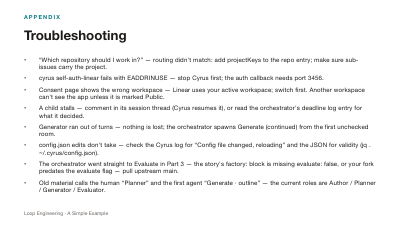
Troubleshooting
- “Which repository should I work in?” — routing didn't match: add projectKeys to the repo entry; make sure sub-issues carry the project.
- cyrus self-auth-linear fails with EADDRINUSE — stop Cyrus first; the auth callback needs port 3456.
- Consent page shows the wrong workspace — Linear uses your active workspace; switch first. Another workspace can't see the app unless it is marked Public.
- A child stalls — comment in its session thread (Cyrus resumes it), or read the orchestrator's deadline log entry for what it decided.
- Generator ran out of turns — nothing is lost; the orchestrator spawns Generate (continued) from the first unchecked room.
- config.json edits don't take — check the Cyrus log for “Config file changed, reloading” and the JSON for validity (jq . ~/.cyrus/config.json).
- The orchestrator went straight to Evaluate in Part 3 — the story's factory: block is missing evaluate: false, or your fork predates the evaluate flag — pull upstream main.
- Old material calls the human “Planner” and the first agent “Generate · outline” — the current roles are Author / Planner / Generator / Evaluator.
IN ONE SENTENCE
A Linear issue is the input, a self-hosted Cyrus agent is the orchestrator, three labelled child sessions are the planner, generator and evaluator, the repo holds the plans, the code and the truth they all obey — and a five-line factory: block is the durable state that lets the loop run while you sleep and stop for the right reasons.
github.com/specstoryai/adventure · github.com/ceedaragents/cyrus · linear.app/developers