

One command change. Zero workflow disruption.Auto-save every Terminal Agent conversation to searchable markdown.
specstory runSessions vanish when you close the terminal
All that problem-solving context... gone
No way to search past solutions
Recreating work you've already done
Can't share with teammates
Knowledge silos instead of shared learning
Auto-saves to .specstory/history/
Every session preserved as clean markdown
Searchable markdown files
grep, ripgrep, or any tool you love
Git-ready for team sharing
Commit and share your AI conversations
$ ls .specstory/history/
2025-08-05_api-refactor.md
2025-08-05_bug-fix-auth.md
2025-08-06_feature-implementation.md
Three simple steps to never lose AI context again
brew install specstoryai/tap/specstory30 seconds with Homebrew
specstory runInstead of "claude, codex, droid, cursor-agent" - that's it!
Sessions save automatically as you work
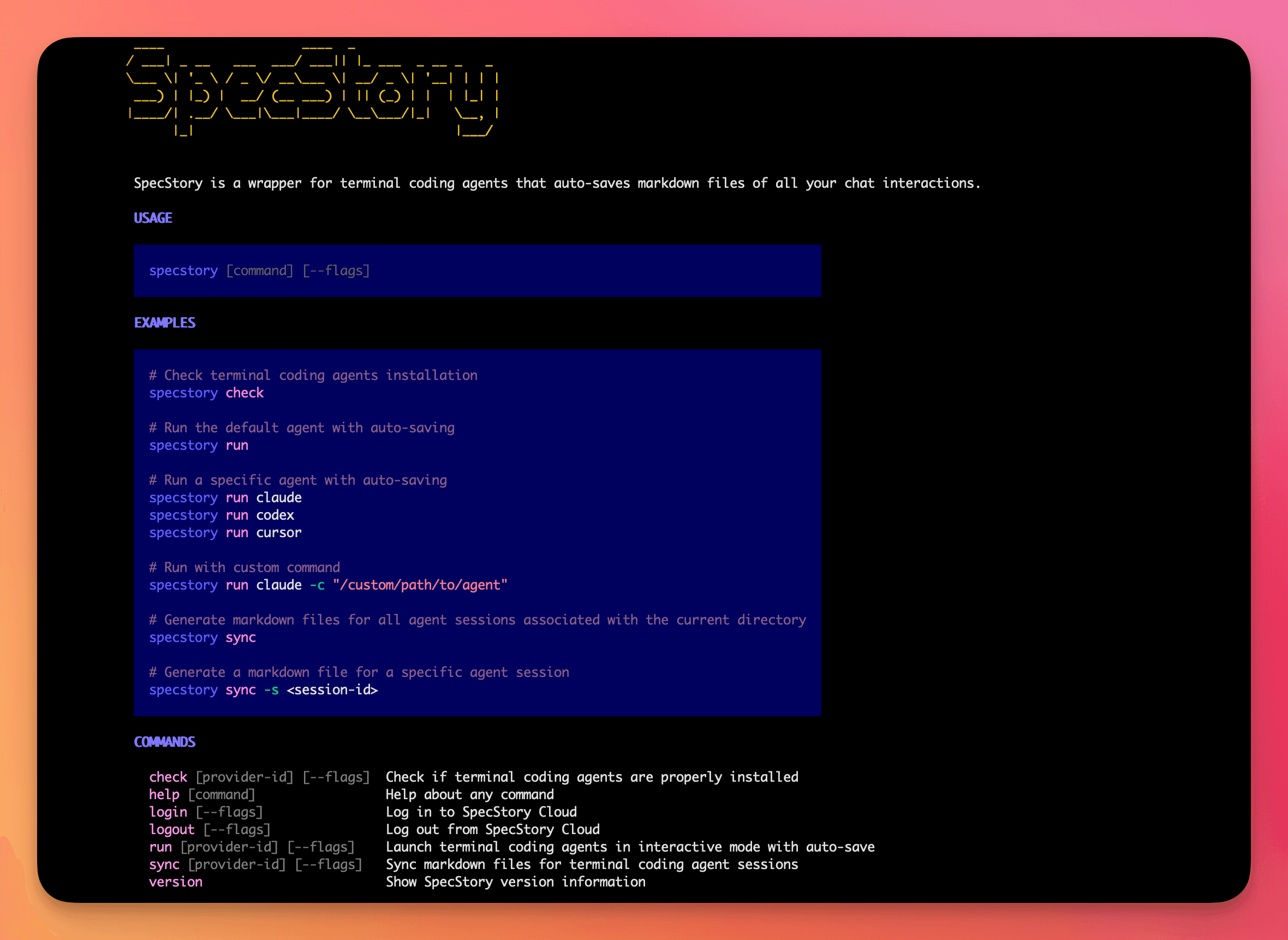
Everything you need, nothing you don't
Works out of the box. No setup, no configuration files, no hassle.
Runs Claude Code normally. All arguments pass through transparently.
Git-friendly markdown files. Commit, branch, and merge your AI sessions.
Share sessions with your team. Build collective AI knowledge.
Complete conversations preserved with timestamps and context.
Find past solutions instantly with grep, ripgrep, or any search tool.
Active Users
Sessions Saved
Private & Local
Setup Time

If you use Cursor, this extension is a MUST. It allows you to save your chat history & prompts. You can even reference past conversations with @ to ground conversations in prior interactions. I've enjoyed exchanging prompts w/friends already.

Cursorを簡単に強化できる拡張機能を見つけてしまった…。 「SpecStory」という拡張機能なのですがWindsurfのMemory機能やClineのMemory Bankのような機能をCursorで実現できます! 1. Composerとの対話履歴を自動的にMarkdownファイルに変換

Highly recommend specstory.com for cursor users

A massive thank you to whoever created SpecStory!

I've seen some interesting ideas in this vein. It's not chatting, but one of them is @specstoryai (specstory.com). They're working on extracting information from the context you generate while using a coding agent. I believe the purpose is to work on the next something. '''As a solo software technical founder I just want something intelligent to chat with about architecture designs and refactors. Something to pair program with.'''

I wish I had known this before. I'm a huge fan of SpecStory now. It's a plugin that automatically converts your conversation histories, including tool calls and reasoning traces, into Markdown format. When Opus 4.5 approaches to context compaction limit, run Gemini 3 in the history document and improve the coding models' context without bloating it.

I just figured out the workflow to make the best PRs you've ever seen with AI and it's almost zero effort. 1. Use git worktree 2. Make a new branch + folder for each piece of work 3. Use Cursor & specstory extension. The specstory extension saves all the cursor chats you have.

SpecStory is kind of like memory for cursor.

Replying to @imrat: use specstory plugin '''i wish cursor stored ai chat conversations in my project folder ... so when switching between laptop and desktop i cant just keep vibing'''

So I finished a week long 'add new feature to existing OSS codebase I was unfamiliar with' and I was working on writing a retro using SpecStory's dump of all composer chats. So I've been annotating the chats in a spreadsheet on what happened.

Cursor's new export to markdown is great but you still need to remember to use it. Install @SpecStory and every chat autosaves itself, zero clicks, instant trail of your whole thought process. Feed the chats then to Gemini or o3 and produce docs, rules, great workflow.

Memory for Cursor (SpecStory) is really useful! This plugin auto-saves all my Cursor conversations as markdown files whenever I update context. One-click sharing, manual exports when needed, and data stays private (toggle off telemetry). I'm surprised Cursor hasn't done this yet.

Specstory is a really cool extension for cursor ai - saves all your chat history in .md files 🔥🔥🔥

The extension to automatically save all your chat history in cursor is called SpecStory, it will automatically maintain a folder in your repo. '''Just announced this to my eng team that we need to commit chat history to code repo by default. Only question, how to automate this?'''
Choose your platform and get started in seconds
brew install specstoryai/tap/specstoryspecstory --versionThat's it! Now use specstory run instead of claude
Join thousands of developers who never lose their AI context again
brew install specstoryai/tap/specstoryUsing VS Code or Cursor IDE? Check out our extensions